
Siklop

New Feature

Add Stripe Payments to a PDF

Add Stripe payments to your PDF documents.

📄

Upload Your PDF

Import a PDF file in just a few seconds.

Drag and drop your PDF here

Add a Payment

$1,500
7
8
9
4
5
6
1
2
3
0

Payment Received

Your recipient pays directly from the PDF and you receive the payment.

Payment Confirmed

The Problem

How can you get paid directly from a PDF?

People use PDFs every day to share information, send files, and distribute important documents. Yet there is currently no simple way for recipients to pay directly from a PDF. PDF payments are finally coming.

Benefits

Get paid directly from your PDFs.

Simpler Payments

Add an online payment module directly to your documents and allow recipients to pay in just a few clicks.

Secure Payments

Provide recipients with a simple and secure online payment experience directly from your documents.

Faster Payments

Allow recipients to pay immediately as soon as they receive the document.

How It Will Work

From PDF to payment in just a few steps.

01

Upload Your Document

Simply upload your PDF document to Siklop and prepare it to receive online payments.

02

Configure the Payment

Connect your Stripe account and define the amount to be paid directly from your document.

03

Share and Receive Payment

Siklop generates a secure link that you can include in your emails, allowing recipients to view the document and complete the payment in just a few clicks.

Feature in Development

Want to try this feature?

Leave your email address to be notified when PDF payments become available.

Or create a quote with integrated payments using Siklop today

Add Stripe Payments to a PDF

Do you already use Stripe to accept payments but your PDF documents are still static files? Whether you send quotes, invoices, contracts, forms, or any other type of PDF document, recipients often need to go through additional steps before completing a payment. Every extra click increases the risk of delays, abandonment, or missed payment opportunities.

With Stripe payments for PDF documents, Siklop allows you to connect your PDFs to your Stripe account and transform a simple document into a powerful payment tool. Upload your PDF, define the amount to be paid, and share it with your recipient. They can review the document and complete their payment through a secure interface powered by Stripe.

The easier the payment process is, the faster you get paid. Adding Stripe to a PDF helps reduce friction between document review and payment while providing a modern and professional experience for your customers. Instead of relying on multiple tools, emails, and back-and-forth exchanges, everything is brought together in a single experience.

By combining Siklop and Stripe, you benefit from the simplicity of document sharing and payment integration offered by Siklop together with one of the world's most trusted payment platforms. Your PDF documents remain at the center of the process while Stripe handles payments securely in the background. You can continue using the tools you already know while giving your documents a new capability: the ability to receive payments directly after they are viewed.

Adding Stripe payments to a PDF is designed for businesses, freelancers, contractors, associations, organizations, and individuals who want to collect payments from PDF documents more easily. Whether you are sharing a quote, invoice, contract, registration form, or any other type of document, your recipients can review the PDF and complete their payment through a single interface. The goal is simple: turn your PDF documents into payment-enabled documents connected to Stripe.
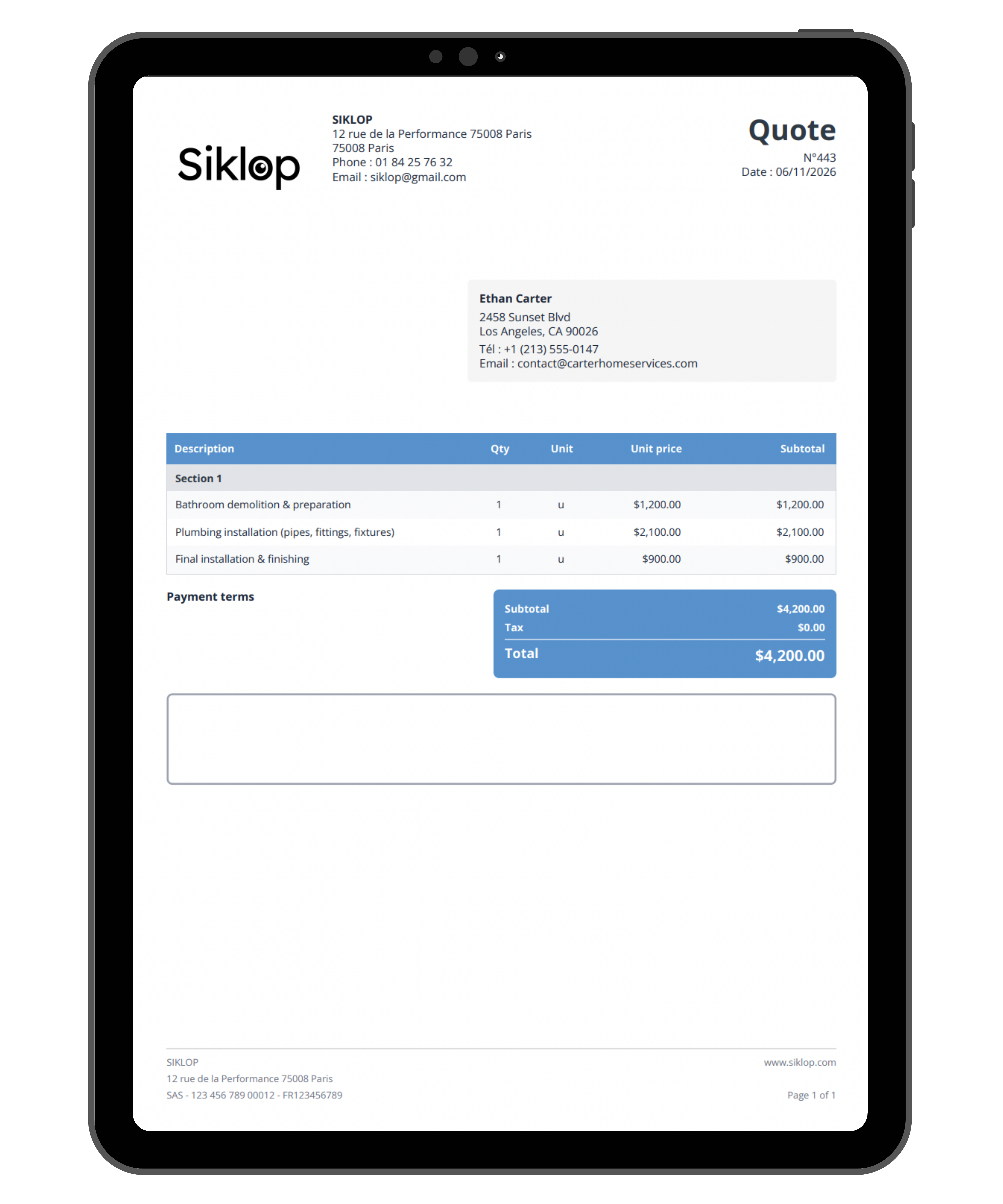
FAQ

Can I add Stripe to any PDF?

Yes. The goal of this feature is to allow Stripe payments to be added to most standard PDF documents. This includes PDF quotes, PDF invoices, PDF contracts, forms, registration documents, purchase orders, administrative documents, as well as documents created with Word, Excel, Google Docs, or Google Sheets and exported as PDF files. A standard PDF can be transformed into a secure link containing both the document and its integrated Stripe payment module. You can continue using your existing documents while allowing recipients to review the PDF and complete a payment through a single interface.

Do I need a Stripe account to add payments to a PDF?

Yes. This feature relies on Stripe to process payments. You will therefore need a Stripe account in order to receive funds in your bank account.

The connection between Siklop and Stripe allows your PDF documents to be linked directly to your existing payment infrastructure. Once your Stripe account is connected, you can add payments to your PDFs and receive payments directly through Stripe.

Does the recipient need a Stripe account to pay?

No. The recipient does not need to create a Stripe account to complete a payment.

Once the PDF document has been shared, it can be viewed from a web browser on a computer, tablet, or smartphone. Recipients can access both the document and the payment module without registration, downloads, or account creation.

The goal is to allow anyone to review a PDF document and complete a payment as easily as possible.

Are Stripe payments added to PDF documents secure?

Yes. Payments are processed directly by Stripe, one of the most widely used online payment platforms in the world.

All transactions benefit from the security standards trusted by millions of businesses every day. Payment information is transmitted securely and is never stored directly inside the PDF document.

Whether the document is viewed on a computer, tablet, or smartphone, the payment process remains secure from start to finish.

Can I request a deposit through Stripe from a PDF?

Yes. You can freely define the amount associated with the payment.

This may be a deposit, a partial payment, a reservation fee, an outstanding balance, or the full amount of the document. Recipients can view the requested amount and complete their payment directly from the payment interface associated with the PDF.

This flexibility makes Stripe payments suitable for a wide range of professional and personal use cases.

Can I receive Stripe payments from multiple countries?

Yes. Payments can be received from countries supported by Stripe.

A PDF document containing a Stripe payment module can be shared with recipients located in different regions of the world. They can review the document and complete their payment online directly from their device.

The exact list of supported countries, currencies, and payment methods depends on the services available through Stripe at the time of use.

Can I freely choose the payment amount?

Yes. You can freely define the amount associated with your PDF document.

The amount may be fixed or correspond to the value shown in a quote, invoice, contract, or any other document. Recipients will see the requested amount before completing payment.

The displayed amount and the amount requested during checkout remain synchronized to provide a clear and transparent payment experience.

Is this feature only for businesses?

No. Adding Stripe payments to a PDF can be used by businesses, freelancers, contractors, self-employed professionals, associations, organizations, and individuals.

Anyone with a Stripe account can attach a payment module to a PDF document and receive payments more easily.

This feature can be used for services, product sales, reservations, registrations, subscriptions, or any other situation that requires online payment.

Will the recipient need to download the PDF?

No. Downloading the PDF will not be required.

The document can be viewed directly from a secure link accessible through a web browser on a computer, tablet, or smartphone. Recipients can access both the document and the payment interface without installation, specific software, or prior downloads.

PDF downloads may still be available when needed, but they will not be required to view the document or complete a payment.

When will the ability to add Stripe payments to a PDF be available?

The feature that allows Stripe payments to be added to existing PDF documents is currently under development.

The goal is to allow users to upload a PDF and connect it to Stripe in order to add a payment module directly associated with the document.

If you are interested in this feature, you can join the waiting list to be notified when it launches and to stay informed about future updates.

In the meantime, Siklop users can already create quotes and invoices with integrated Stripe payments directly from the platform. The upcoming feature will extend this capability to PDF documents created with third-party software, document generators, and office productivity tools.

PDF Payments Are Coming Soon.

Until then, discover Siklop and create quotes with integrated electronic signatures and online payments.

Get Started for Free