Convert a quote into an invoice
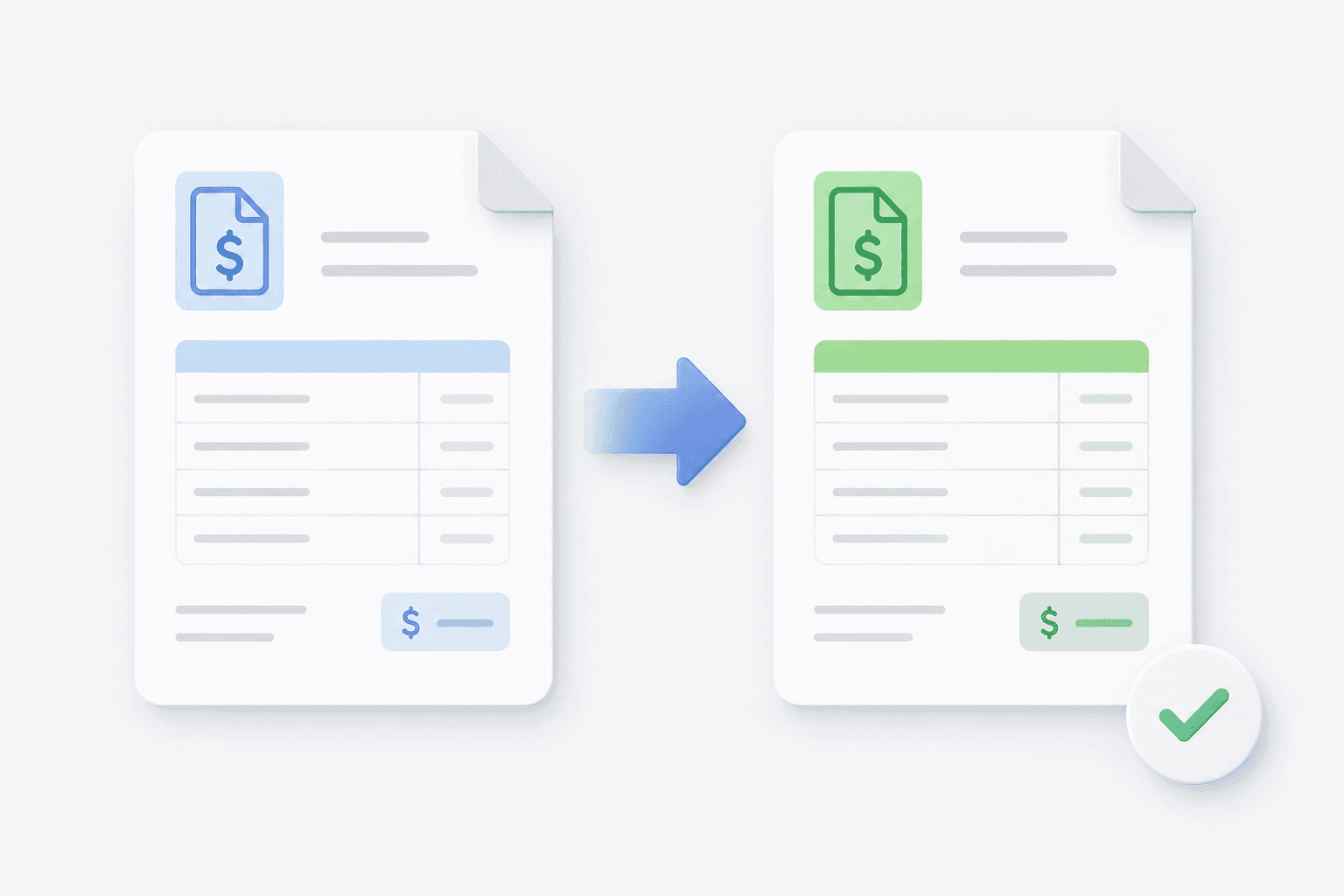
Siklop allows you to convert a quote into an invoice in just a few clicks.
The conversion feature is available from the Share menu, accessible from both the quote editor and your quote list.
To convert a quote into an invoice, simply open the quote you want to convert, then click Convert to invoice from the Share menu.
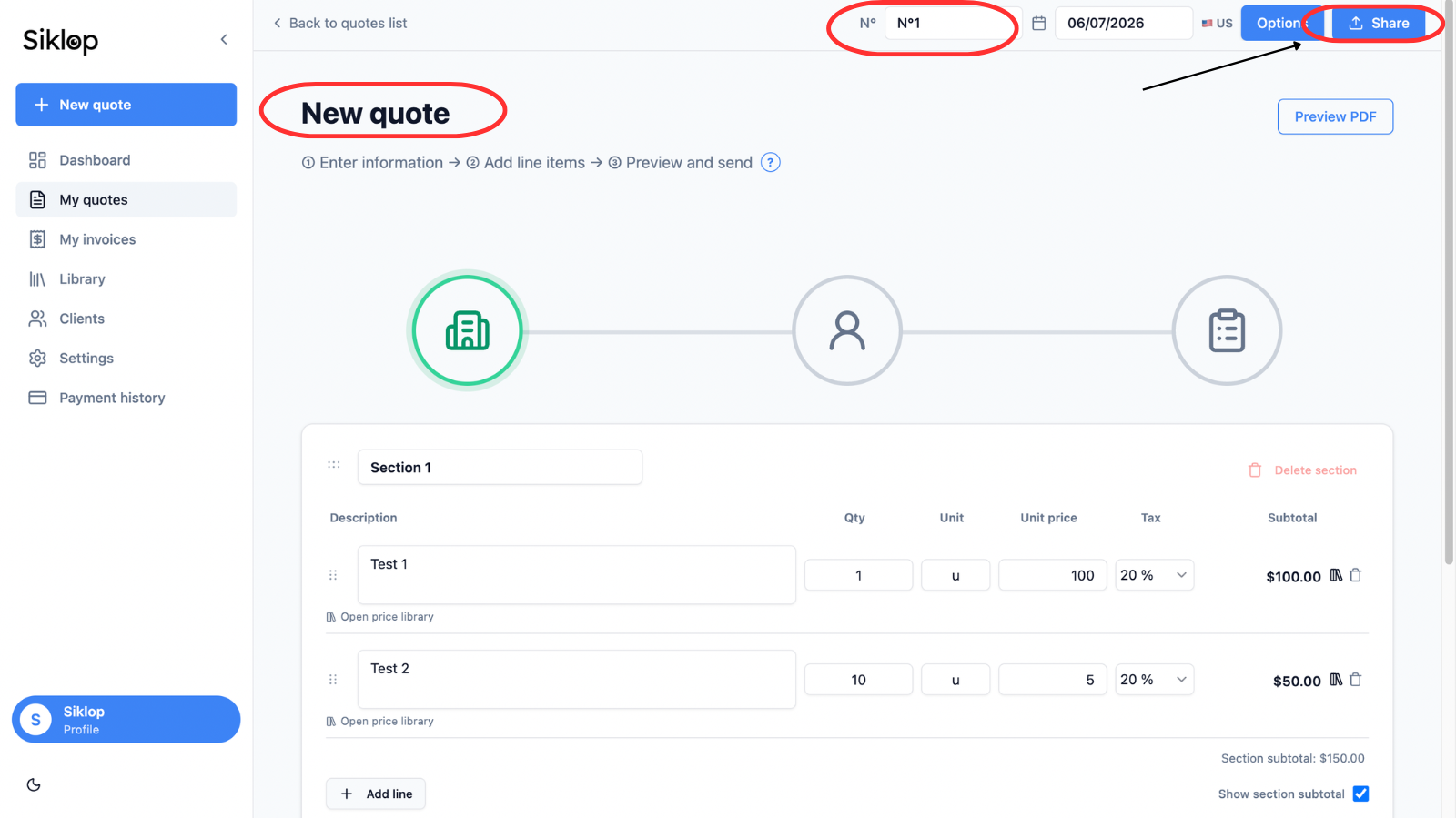
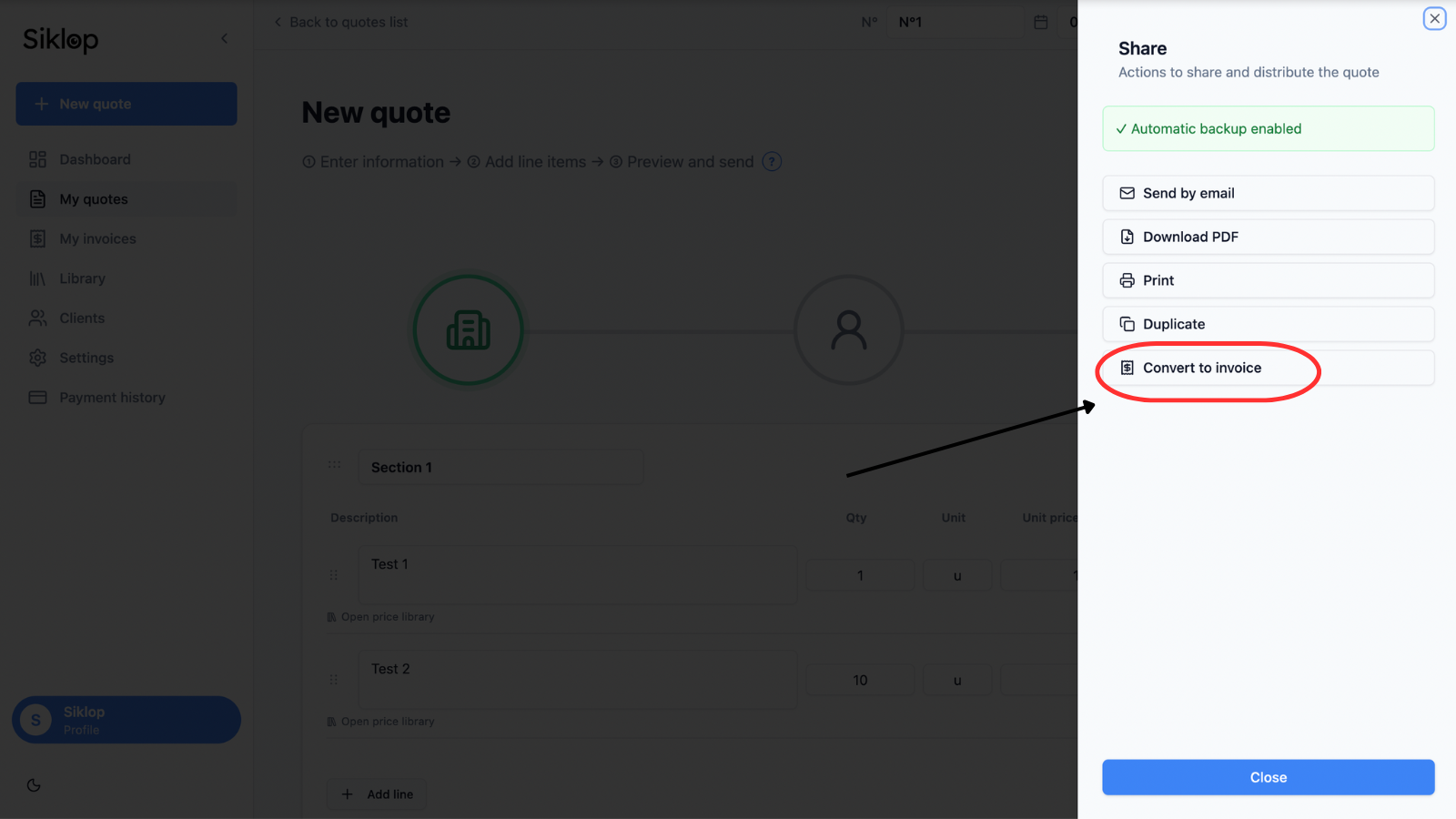
Original quote before conversion
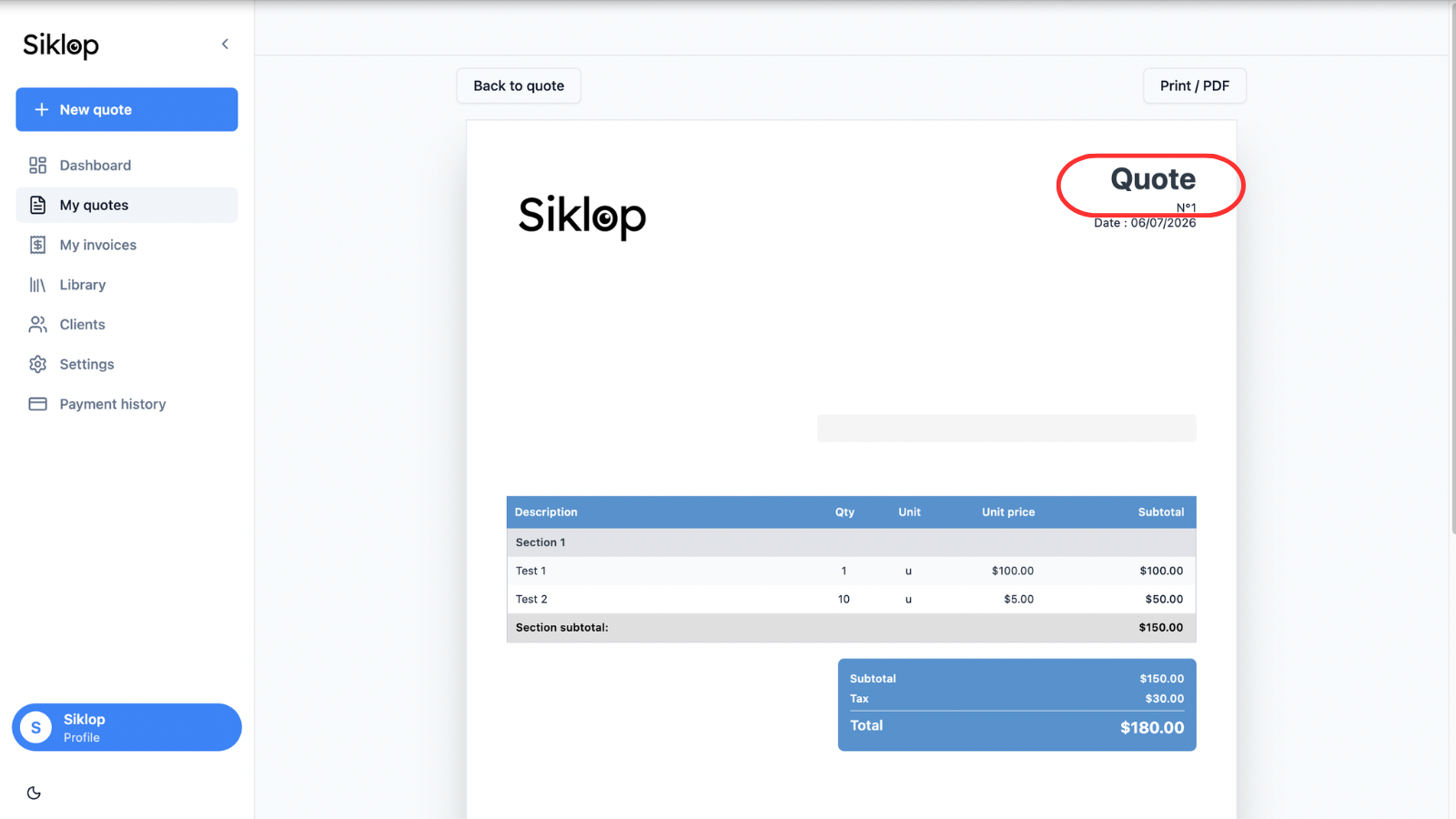
Before the conversion, the document is still a quote.
In this example, the document is labeled Quote and has its own quote number. All information can still be edited, and the document remains available in your quote list.
Converting a quote into an invoice does not modify the original quote. The quote remains available in your quote list, allowing you to preserve your document history and keep a record of the quote that was originally sent to your client.
A new invoice is created automatically
After clicking Convert to invoice, Siklop automatically creates a new invoice from the selected quote.
All information from the quote is carried over to avoid any manual data entry, including client details, line items, quantities, prices, taxes, sections, custom texts, and document settings.
This feature allows you to quickly convert an approved quote into an invoice while keeping a seamless workflow between quotes and invoices.
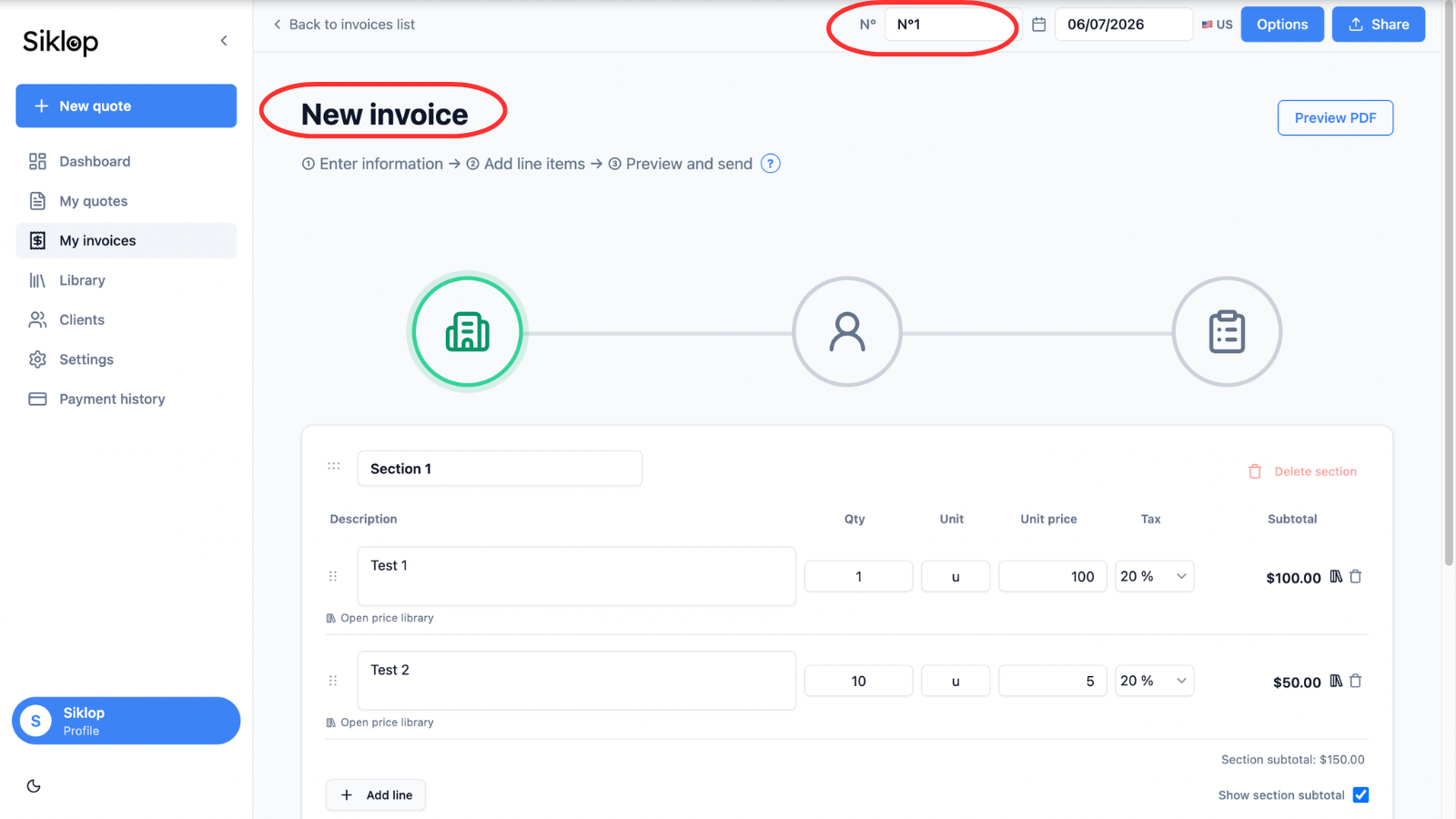
Review the generated invoice
Once the conversion is complete, the document becomes an invoice and automatically appears in your invoice list.
The invoice receives its own invoice number to comply with your invoice numbering sequence and ensure that each document remains unique.
You can then review all information carried over from the quote before sending, downloading, printing, or sharing the invoice with your client.
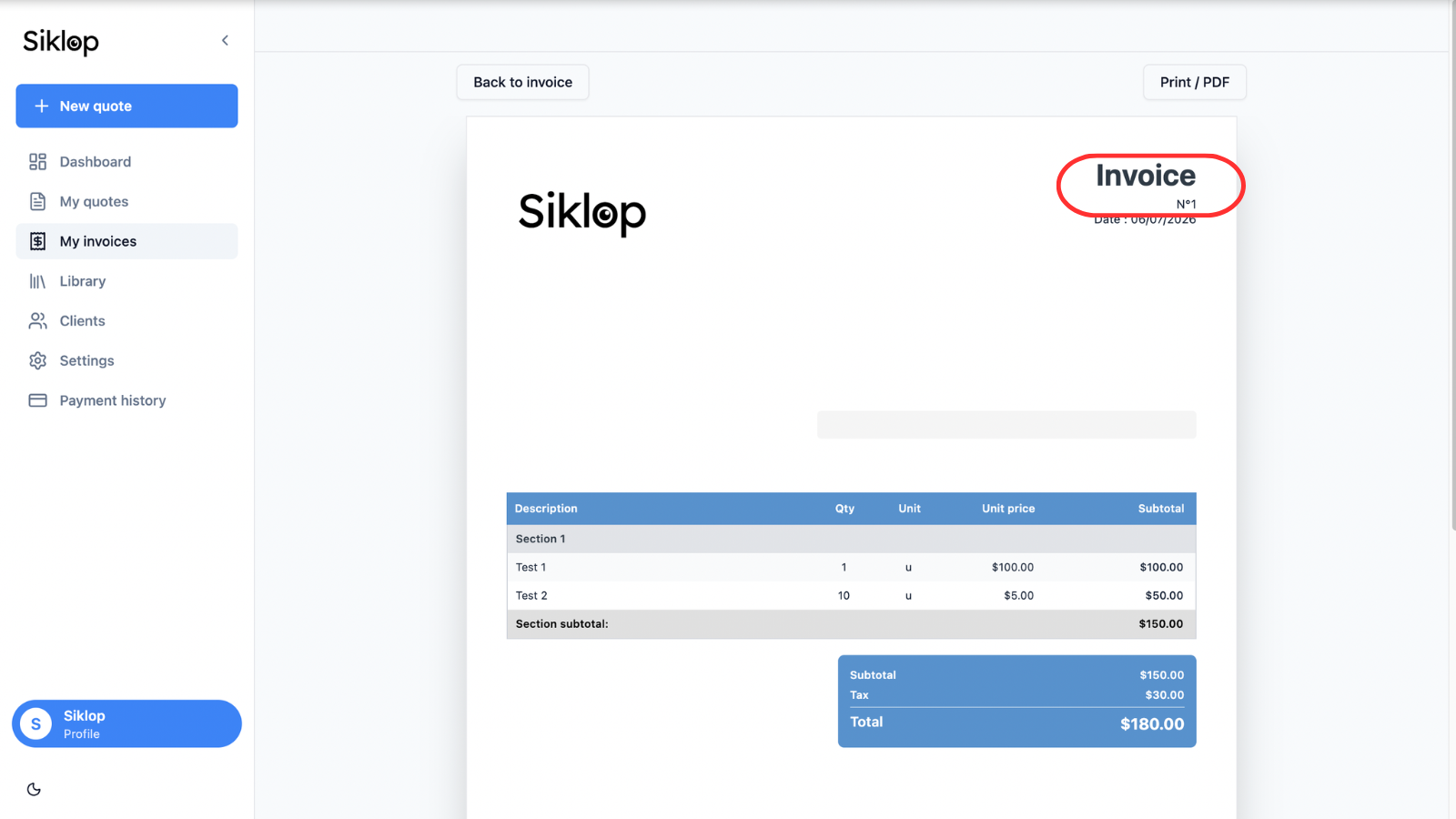
The generated invoice can then be sent directly to your client using Siklop's optimized sending feature. This allows your client to view the invoice online and pay it directly from the document.
If a deposit has already been paid when the quote was accepted, you can indicate it on the invoice so that the amount already paid and the remaining balance due are clearly displayed.
Invoicing features are available to users with at least a Premium subscription.
👉 View plans and pricing: Plans & Pricing
FAQ
Is my quote deleted after converting it into an invoice?
No. When you convert a quote into an invoice, the original quote is kept in your account.
The conversion process simply creates a new invoice from the selected quote. This allows you to keep a complete history of your documents and access both the original quote and the associated invoice at any time.
This approach helps ensure full traceability of your business documents and makes it easy to follow a project from the initial quote through to the final invoice.
Can I edit the invoice after conversion?
Yes. Once the invoice has been created, you can edit it just like any other invoice.
You can update client information, line items, quantities, prices, taxes, or document settings before sending the invoice to your client.
This flexibility allows you to correct mistakes, make adjustments, or add additional information before sharing the invoice, ensuring that the final document accurately reflects the work performed and the amount to be billed.
Can I convert the same quote into an invoice multiple times?
Yes. The same quote can be converted into an invoice multiple times if needed.
Each conversion creates a new, independent invoice with its own invoice number. The original quote remains unchanged and continues to be available in your quote list.
This feature can be useful if you need to recreate an invoice from an existing quote, test different scenarios, or generate a new invoice while keeping the original documents intact.
Each generated invoice remains separate and can be edited independently without affecting the original quote or other invoices created from it.
Is client information preserved during the conversion?
Yes. All client information is automatically carried over when the invoice is created.
Client details, services, quantities, prices, taxes, sections, and document settings are preserved to eliminate the need for manual data entry.
Converting a quote into an invoice helps save time, reduce administrative work, and minimize the risk of errors when preparing invoices from approved quotes.
Can I convert a quote into an invoice with Siklop?
Yes. Converting a quote into an invoice is one of the invoicing features available starting with the Premium plan.
Once your subscription is active, you can convert approved quotes into invoices, send invoices to your clients, track payments, and access Siklop's advanced invoicing features.
👉 View plans and pricing: Plans & Pricing
Can I indicate a deposit that has already been paid by the client?
Yes. Siklop allows you to indicate a deposit that has already been paid when creating or editing an invoice.
The invoice continues to display the total amount of the service, while also showing the amount already paid and the remaining balance due from the client.
This feature is particularly useful when you request a deposit when the quote is accepted and collect the remaining balance once the work, service, or project has been completed.
How does Siklop make invoice payments easier?
Siklop does more than just create invoices. Thanks to the optimized sending feature, you can send an invoice directly to your client with an integrated online payment system.
Your client can view the invoice from a computer, tablet, or smartphone and pay the amount due in just a few clicks, without manually entering your bank details or making a separate bank transfer.
If a deposit was already paid when the quote was accepted, Siklop also allows you to display the amount already paid and clearly show the remaining balance due.
This approach simplifies the payment process, improves the client experience, and helps you get paid faster.
Can I get paid by credit card with Siklop?
Yes. Siklop allows your clients to pay invoices directly by credit or debit card through the optimized sending feature. When an invoice is sent with Siklop, your client can view it online and complete the payment in just a few clicks from a computer, tablet, or smartphone.
Major payment cards are supported, including Visa, Mastercard, American Express, and many other payment methods depending on your client's country.
This solution eliminates the need to exchange bank details, simplifies invoice payments, and provides a modern and professional payment experience. If a deposit has already been paid, Siklop can also display the amount already received and the remaining balance due, making it easier to track payments.
Credit card payments are available through Siklop's invoicing and online payment features.