Using the quote sharing menu
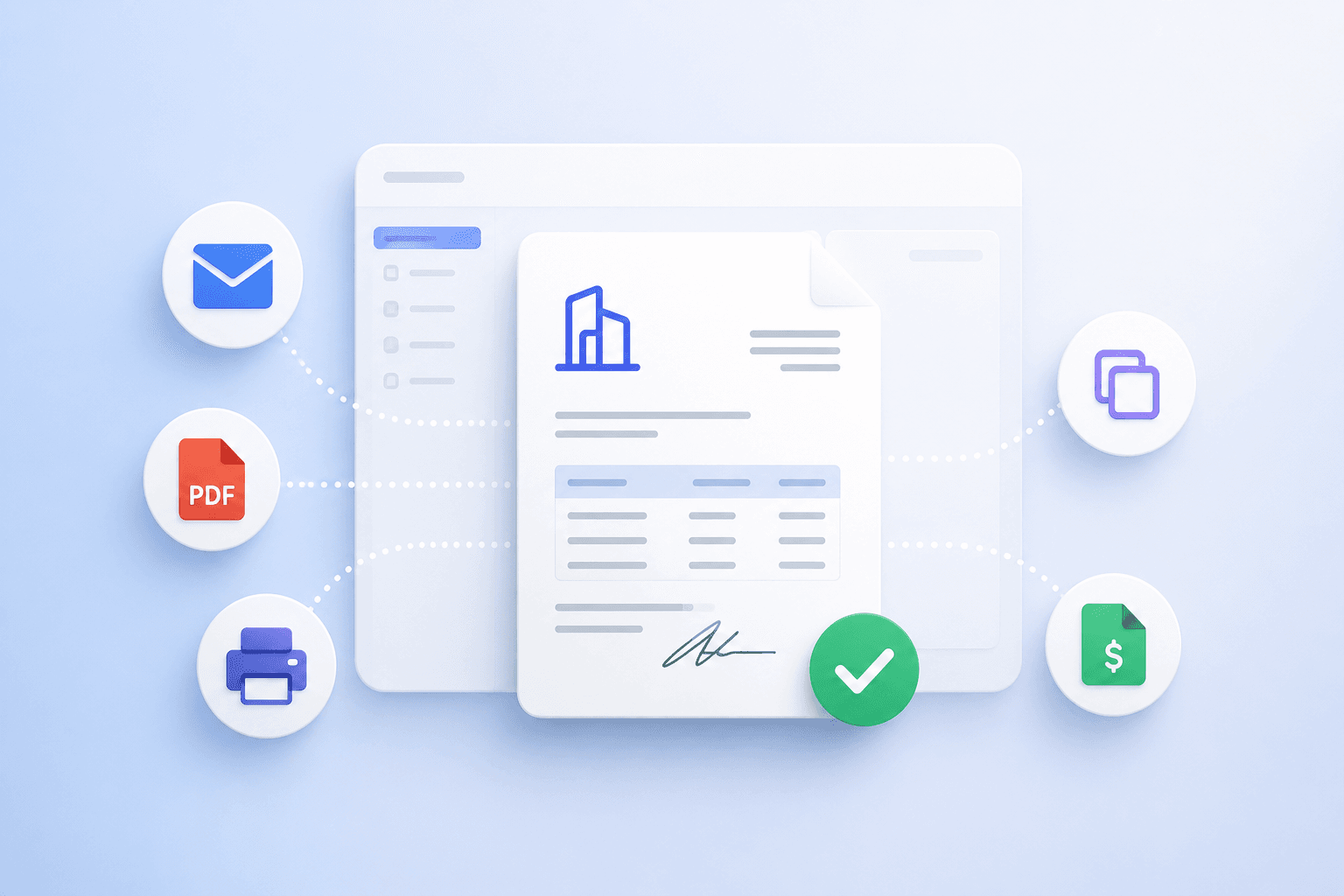
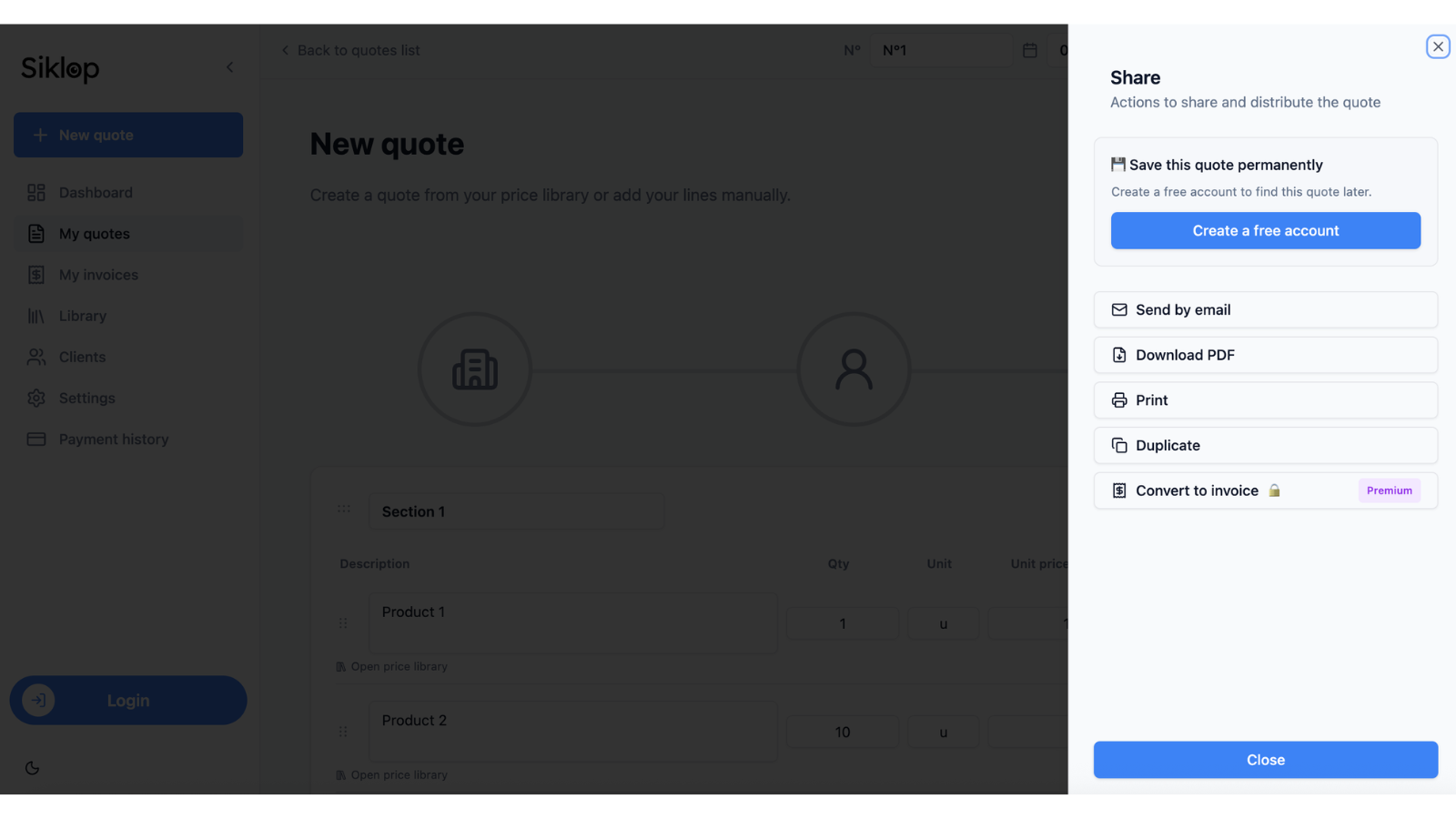
The Share menu brings together all the actions available to send, download, print, duplicate, or convert a quote into an invoice.
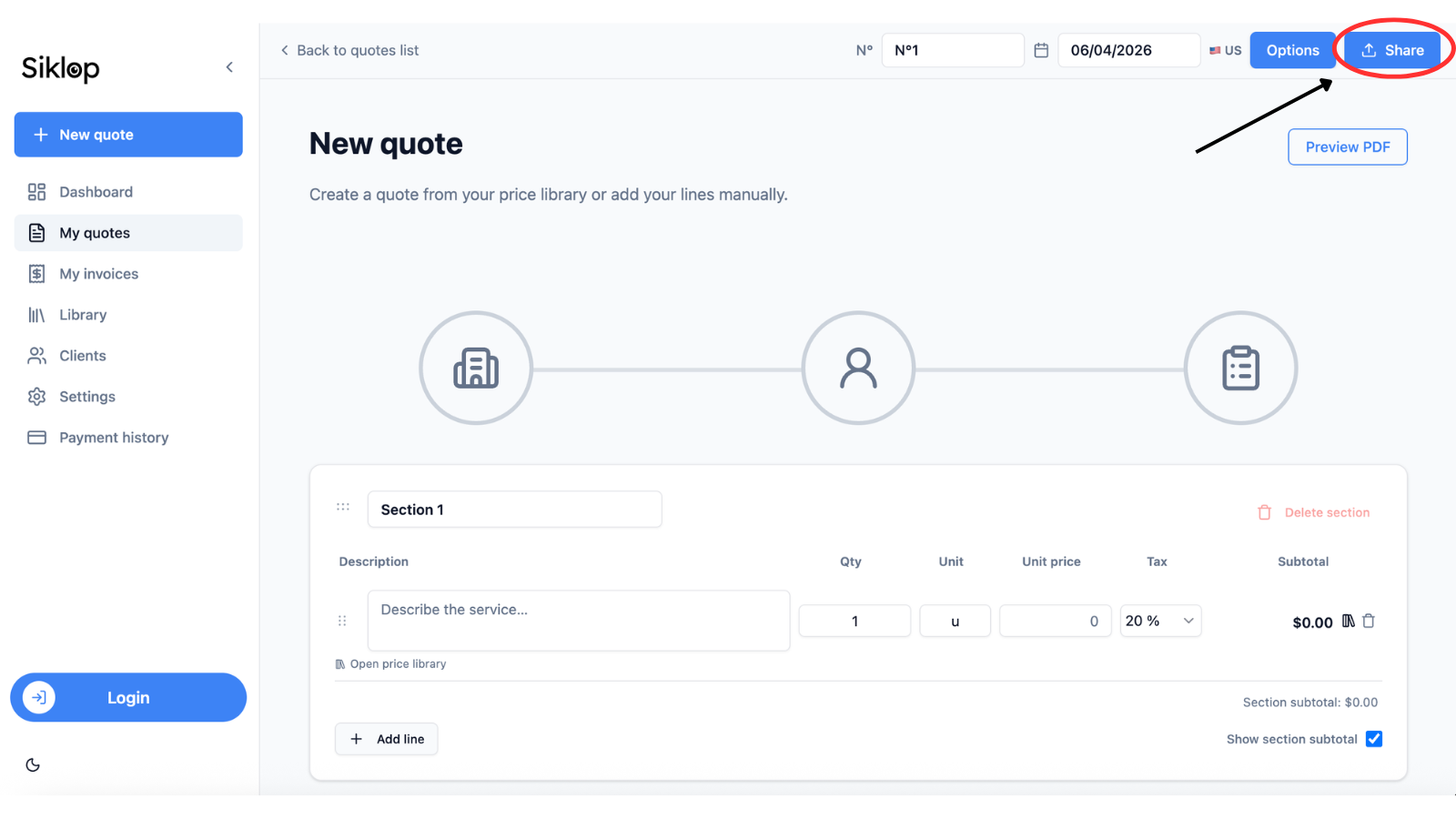
Accessible from both the quote editor and the quote list, it centralizes the main document sharing and management features available in Siklop.
From this menu, you can send a quote to a client, download a PDF version, print the document, create a copy of the quote, or convert it into an invoice once it has been accepted.
By bringing all these actions together in a single menu, Siklop helps you manage the entire lifecycle of your quotes quickly and without unnecessary navigation between different screens.
Send a quote by email
Siklop allows you to send a quote directly to your client from your email application. A pre-filled email is automatically generated to make sharing the document faster and more convenient.
You remain fully in control of your client communications: the message can be customized before sending, and the quote is sent directly from your own email address. Siklop does not replace your email service and does not interfere with your client relationship.
This feature is optimized for Gmail and Outlook but remains compatible with other email applications and services.
In all cases, the quote is shared through a secure link that allows your client to access the document online. The main difference between the two sending options lies in the features available after the quote is opened.
Optimized Send
Optimized Send adds online payment directly to the quote approval process.
This sending option automatically includes all the features available in Siklop. From the secure link received by email, your client can review the quote, sign it electronically, and complete the payment online from a single interface. Automatic reminders are also enabled to help track the document until it is approved.
This feature is available to all users with a Siklop account, including those using a free account.
This sending option was designed to improve your quote conversion rate.
👉 Read the full tutorial: Send a Quote with Integrated Payment
Classic Send
Classic Send allows you to share your quote using a secure link without integrating online payment into the document.
Your client reviews the quote directly from the link received by email. Depending on your Siklop plan and the options enabled on the document, electronic signatures and automatic reminders may also be available.
This option is ideal when you simply want to send a quote to a client while keeping the review process quick and straightforward.
👉 Read the full tutorial: Send a quote using Classic Send
Download a quote as a PDF
Siklop automatically generates a PDF version of your quote in just a few seconds.
The document preserves its complete layout, including your business information, client details, and the full breakdown of services, quantities, prices, and taxes configured in the quote.
The PDF file can be downloaded from both a computer and a smartphone, allowing you to access your quotes and share them easily wherever you are.
PDF format is ideal for archiving a document, sending it manually to a client, attaching it to an email, or keeping a local copy of your professional quotes.
👉 Read the full tutorial: PDF Download
Print a quote
Siklop allows you to print a quote directly from the application without having to manually adjust the layout.
The document is automatically formatted for printing to maintain a professional presentation, including your business information, client details, services, prices, and taxes.
This feature is particularly useful if you need to provide a printed quote to a client, keep a physical copy of your documents, or bring a printed version to a business meeting.
👉 Read the full tutorial: Printing
Duplicate a quote
The duplication feature creates a complete copy of an existing quote while preserving all of the document's information, including client details, services, quantities, prices, taxes, and configuration settings.
When a quote is duplicated, Siklop automatically assigns a new quote number to ensure that each document keeps its own unique reference.
This feature is particularly useful when you regularly create similar quotes, but also when you want to create a variation of an existing quote to offer different options to a client without starting from scratch.
By eliminating the need to recreate a document manually, duplication saves time, reduces data entry errors, and helps standardize the creation of new quotes.
👉 Read the full tutorial: How to duplicate a quote
Convert a quote into an invoice
Converting a quote into an invoice allows you to turn an accepted quote into an invoice with a single click, without having to recreate the document manually.
During the conversion, Siklop automatically transfers the entire content of the quote and generates an invoice ready to be sent. A new invoice number is also assigned automatically to maintain your invoice numbering sequence.
This feature saves a significant amount of time while reducing the risk of errors caused by manually re-entering information.
Once the invoice has been created, just like with quotes, you can send the document by email, download it as a PDF, print it, or use Optimized Send to allow your client to pay the invoice online by credit card.
Quote-to-invoice conversion is available to users subscribed to a Premium plan or higher.
👉 Read the full tutorial: How to convert a quote into an invoice
FAQ
Can I download a PDF quote without a Siklop account?
Yes. Siklop allows you to create quotes for free, without signing up, and download them as PDF files with no limitations.
Once your quote is complete, you can save it on your computer or smartphone and share it with clients by email, messaging apps, or any communication channel of your choice.
A simple solution for freelancers, self-employed professionals, contractors, consultants, and small businesses looking to create, download, and share professional quotes without creating an account.
Can I print a quote without a Siklop account?
Yes. Siklop allows you to print professional quotes even without creating an account.
Printing is available free of charge and without limitations. You can provide a printed quote to a client, prepare for a business meeting, or keep a physical copy of your documents for your records.
A simple solution for freelancers, self-employed professionals, contractors, consultants, and small businesses looking to print professional quotes without creating an account.
Does my client need a Siklop account to view a quote?
No. Your client can access the quote directly from the secure link received by email, without creating an account or installing any software.
The quote can be viewed online from a computer, tablet, or smartphone, making it easy for clients to review your documents wherever they are.
A simple solution that makes quote sharing easier and removes unnecessary barriers for your clients.
Does my client need a Siklop account to sign a quote?
No. Your client accesses the quote through the secure link received by email and reviews the document online without creating an account or installing any software.
When electronic signature is enabled, the quote can be signed directly from the same page on a computer, smartphone, or tablet.
A simple solution that makes quote approval easier and reduces the number of steps required before a quote can be accepted.
Can I edit a quote after sending it?
No. For security reasons, a quote can no longer be edited once it has been sent by email. After delivery, your client may be able to review the document, sign it electronically, approve it, or make an online payment depending on the options enabled on the quote.
If you notice an error or need to make changes, simply duplicate the quote. Siklop will create a complete copy of the document with a new quote number, which you can edit freely before sending it to your client again.
This approach maintains a reliable history of shared documents while ensuring the consistency of approvals, signatures, and payments associated with each quote.
Can I create multiple versions of the same quote?
Yes. The duplication feature allows you to create as many variations as needed from an existing quote.
Each copy retains the full content of the original quote while automatically receiving a new quote number. This allows you to adjust services, quantities, prices, or proposed options without modifying the original document.
This feature is particularly useful for presenting multiple alternatives to a client, comparing different offers, or adapting a quote to several scenarios before approval.
Is online payment available with Classic Send?
No. Online payment is only available with Optimized Send.
Classic Send allows you to share a quote through a secure link, but the client cannot pay the document online. To offer credit card payment directly from the quote page, you must use Optimized Send.
This distinction allows you to choose between simple quote sharing and a complete workflow that includes quote review, approval, and online payment.