Duplicate a quote or invoice
Siklop allows you to duplicate a quote or invoice in just a few seconds.
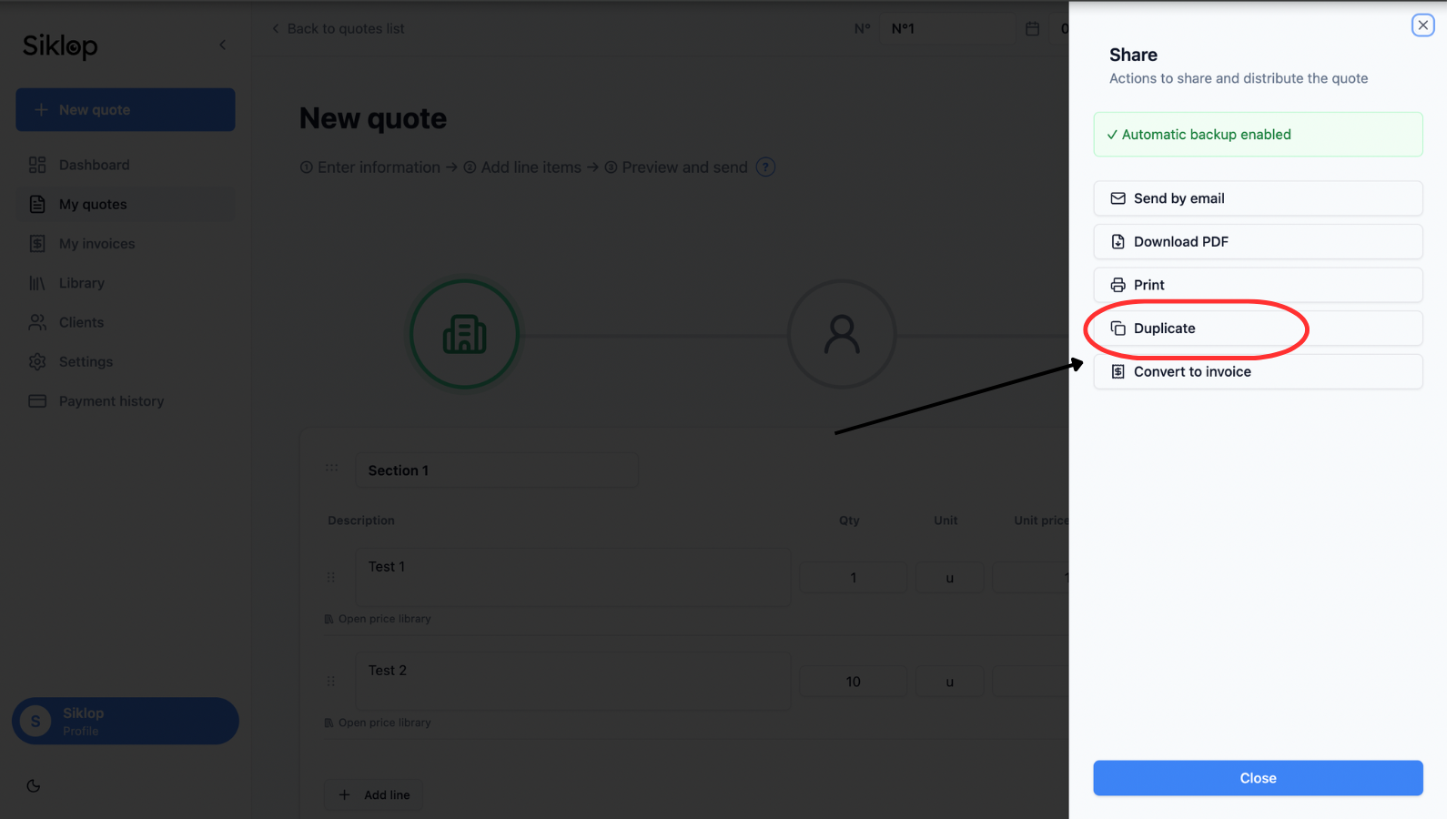
The duplication feature is available from the Share menu, accessible from both the quote and invoice editors as well as from your document lists.
To create a copy of an existing document, simply open the quote or invoice you want to duplicate, then click Duplicate from the Share menu.
Verify the original document
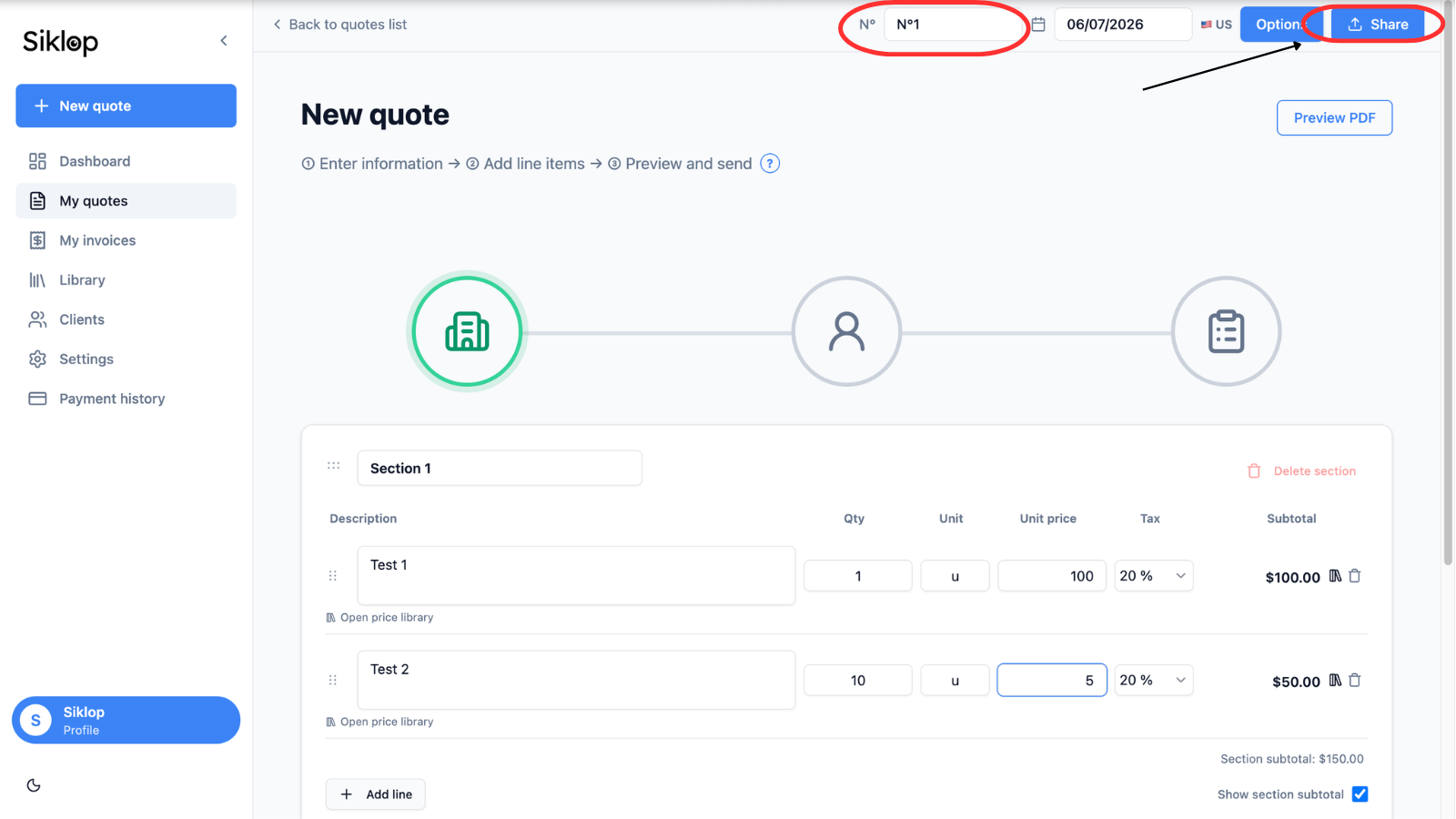
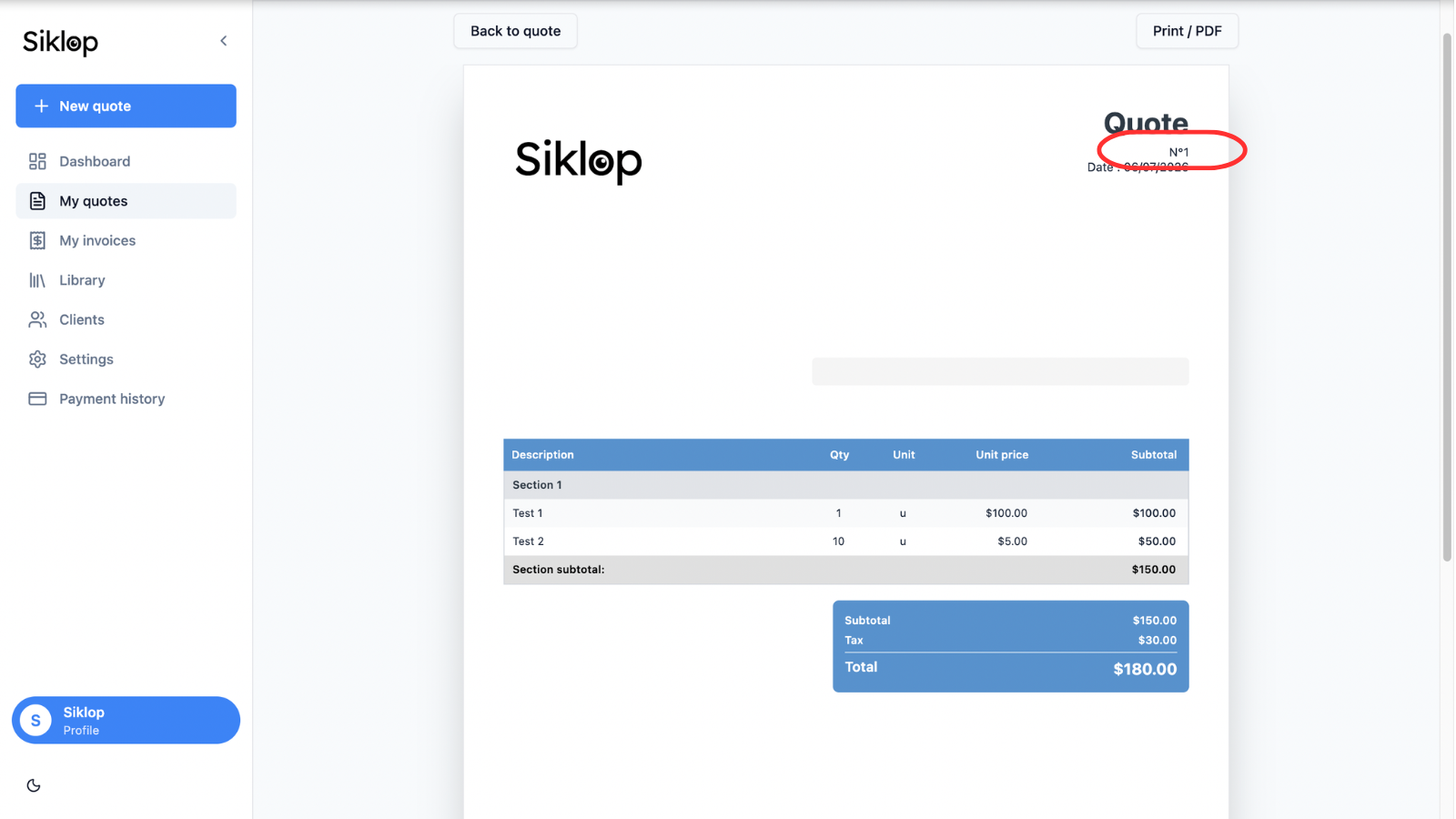
Before duplication, the document keeps its original number.
In this example, the quote has the number No. 1. This number identifies the original document before a copy is created.
Duplicating a document does not modify the original in any way. The original quote or invoice remains available in your document list with all of its information unchanged.
A new document is created automatically
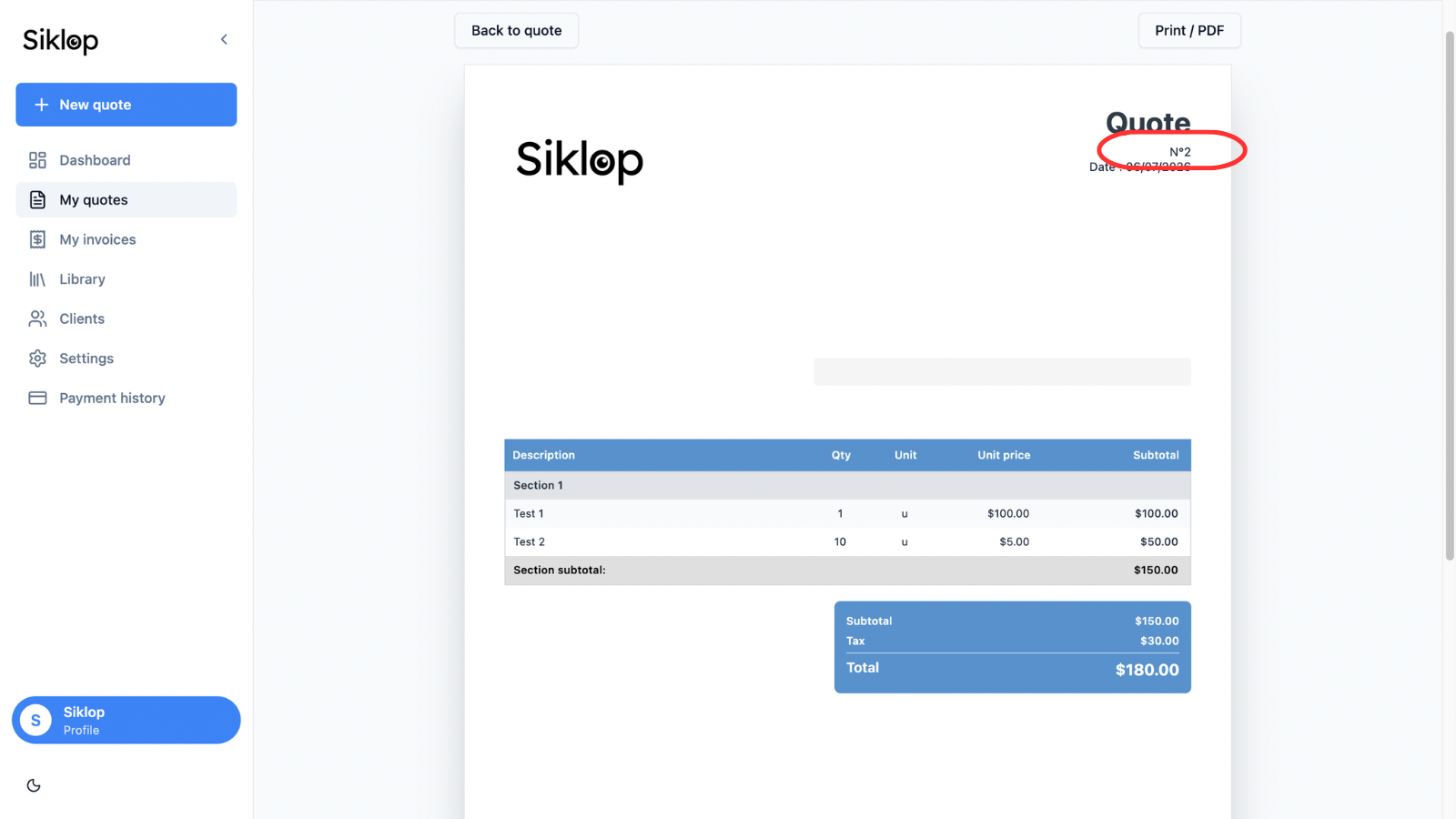
After clicking Duplicate, Siklop automatically creates a complete copy of the document.
All information is preserved, including the logo, client details, line items, quantities, prices, taxes, sections, custom texts, and document settings.
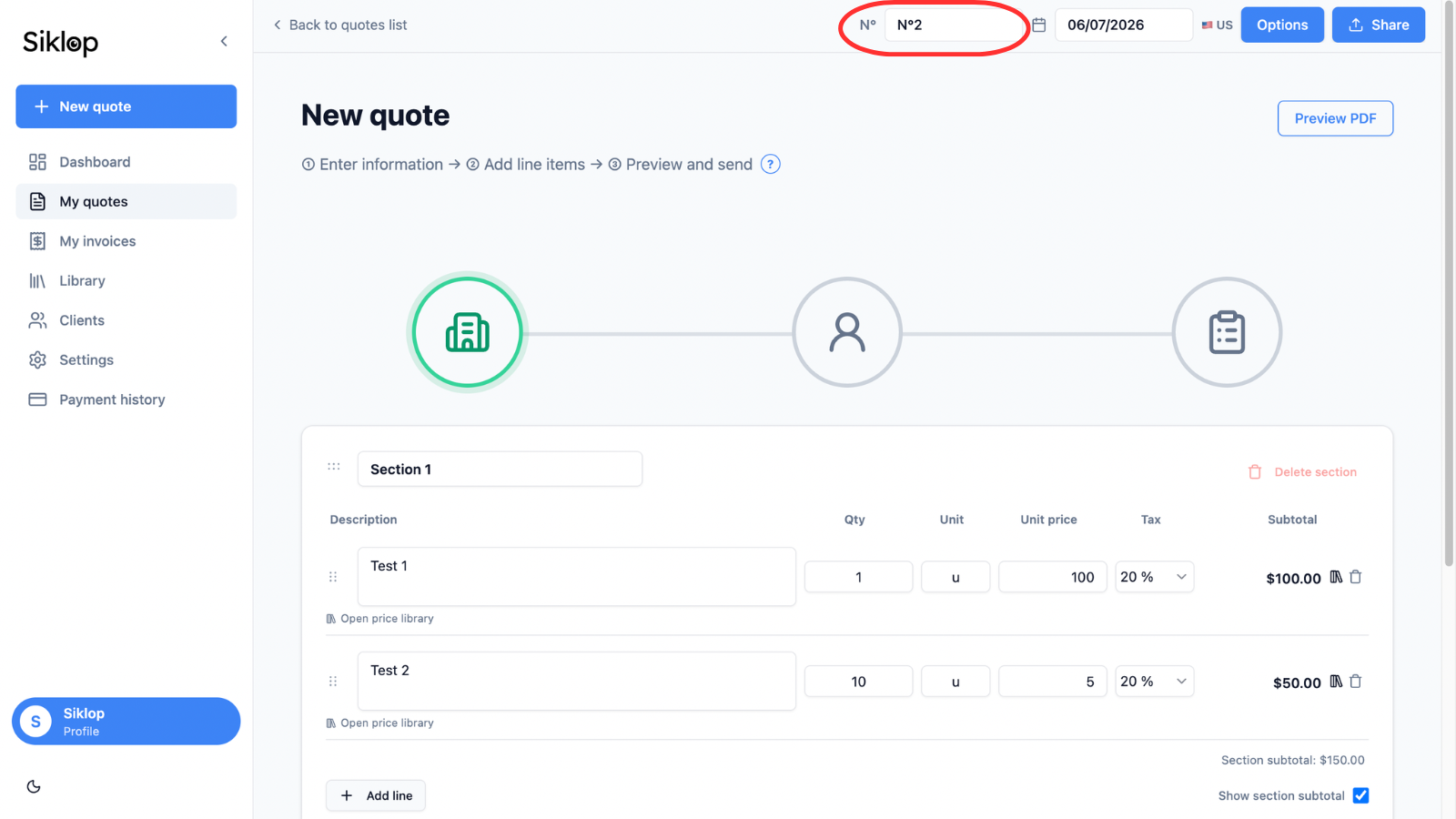
To ensure that every document remains unique, a new document number is automatically assigned to the duplicated copy.
Edit the duplicated document freely
Once the duplication process is complete, you can freely edit the new document.
You can adjust services, quantities, prices, taxes, or any other information without affecting the original document.
This feature is particularly useful for creating multiple versions of the same quote, offering different options to a client, or reusing an existing document as a template.
FAQ
Can I use the duplication feature with a free account?
Yes. The duplication feature is available with Siklop's free account.
However, using this feature requires a user account. Since duplication creates a copy of an existing quote, the document must be saved in your Siklop account before it can be duplicated.
Users of the no-signup version can create, download, and print quotes for free, but their documents are not saved. As a result, it is not possible to duplicate a quote when using Siklop without creating an account.
By creating a free Siklop account, you can save your quotes, keep a complete document history, and create as many copies as needed from your existing documents.
The duplication feature is particularly useful for reusing a quote as a template, creating multiple versions of the same proposal, testing different pricing options, or saving time when preparing similar quotes on a regular basis.
For invoices, duplication is also available but requires a subscription that includes invoicing features (available starting with the Premium plan).
👉 View plans and pricing: Plans & Pricing
Is my original document modified when I duplicate it?
No. The duplication feature creates a completely independent copy of the original document.
Any changes made to the new quote or invoice have no impact on the original document. You can freely edit services, prices, quantities, taxes, client information, or any other part of the document without affecting the original version.
This approach allows you to maintain a reliable history of your quotes and invoices while easily creating new versions tailored to different clients, projects, or pricing scenarios.
Why does the document number change after duplication?
Every quote and invoice must have its own unique number to ensure proper identification and tracking.
When a document is duplicated, Siklop automatically assigns a new number to the copied document while preserving all of the content from the original quote or invoice.
This automatic numbering system helps prevent duplicate document numbers and makes it easier to manage, organize, and track your quotes and invoices over time.
The original document keeps its existing number, while the duplicated version receives a new one, allowing both documents to coexist independently within your account.
Can I duplicate a quote that has already been sent to a client?
Yes. A quote that has already been sent to a client can be duplicated at any time.
This feature is particularly useful when you need to correct a mistake, update a service, adjust pricing, or create a new version of a quote without modifying the original document that was already shared with your client.
The duplicated quote receives a new quote number automatically, ensuring clear document tracking and preserving the history of previously sent quotes.
This allows you to keep a record of every version while continuing to work from an existing quote instead of creating a new one from scratch.
Can I create multiple versions of the same quote?
Yes. You can duplicate a quote as many times as needed to create multiple variations from the same document.
This feature is particularly useful when you want to offer several options to a client, compare different pricing structures, or customize a proposal without starting from scratch each time.
Each version receives its own unique quote number and can be edited independently, allowing you to test different services, quantities, prices, or conditions while keeping every version organized and easy to track.
Using quote duplication is an effective way to create alternative proposals, compare scenarios, and manage multiple versions of a quote throughout the sales process.
Can I use duplication as a quote template?
Yes. Many users rely on the duplication feature to create their own quote templates.
Simply prepare a standard quote containing your most common services, pricing structure, terms and conditions, or preferred layout, then duplicate it whenever you start a new project.
This approach helps you save time, standardize your sales documents, reduce data entry errors, and maintain a consistent presentation across all of your quotes.
Using quote duplication as a template system is particularly useful when you regularly create similar quotes or work with recurring services and pricing structures.
👉 See also: How to Create a Quote with Siklop
Can I duplicate an invoice?
Yes. The duplication feature is also available for invoices.
When an invoice is duplicated, Siklop creates a complete copy of the document while preserving all existing information, including client details, line items, quantities, prices, taxes, and document settings.
Just like with quotes, a new invoice number is automatically assigned to the duplicated invoice to ensure that every document remains unique and easy to track.
Invoice duplication is available for users with invoicing features enabled, which are included starting with the Premium plan.
👉 View plans and pricing: Plans & Pricing