
Send a quote using Optimized Send
Siklop allows you to send a quote to a client in just a few clicks using Optimized Send.
This method was designed to simplify the way you send quotes while increasing your chances of getting a signature and payment more quickly. Unlike a traditional quote delivery process where the client must review the quote and then complete the payment separately, Optimized Send combines the entire process into a single experience.
Your client receives a secure link that allows them to view the quote, sign it electronically and, if you choose, pay a deposit or the full quote amount directly online.
Optimized Send also allows you to track the progress of the quote in real time from within Siklop. You can see whether the document has been sent, viewed, signed, accepted or paid, giving you better visibility into the status of your opportunities and helping you manage client follow-ups more effectively.
As with Classic Send, the message is not sent from Siklop's servers. The email is sent directly from your own email account (Gmail, Outlook or any other compatible email application), allowing you to freely customize your message while maintaining full control over your communication with clients.
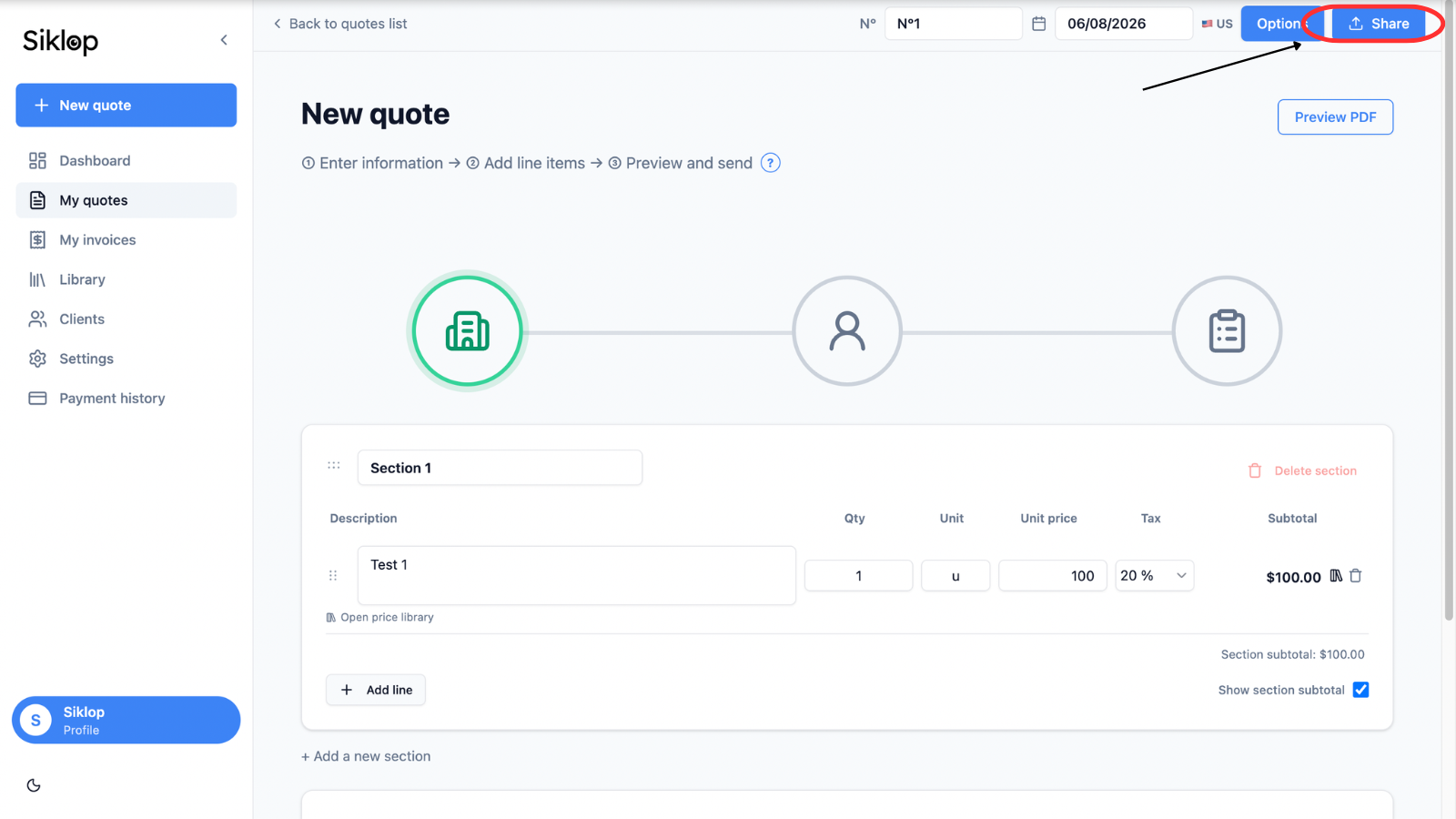
To get started, open your quote and click Share.
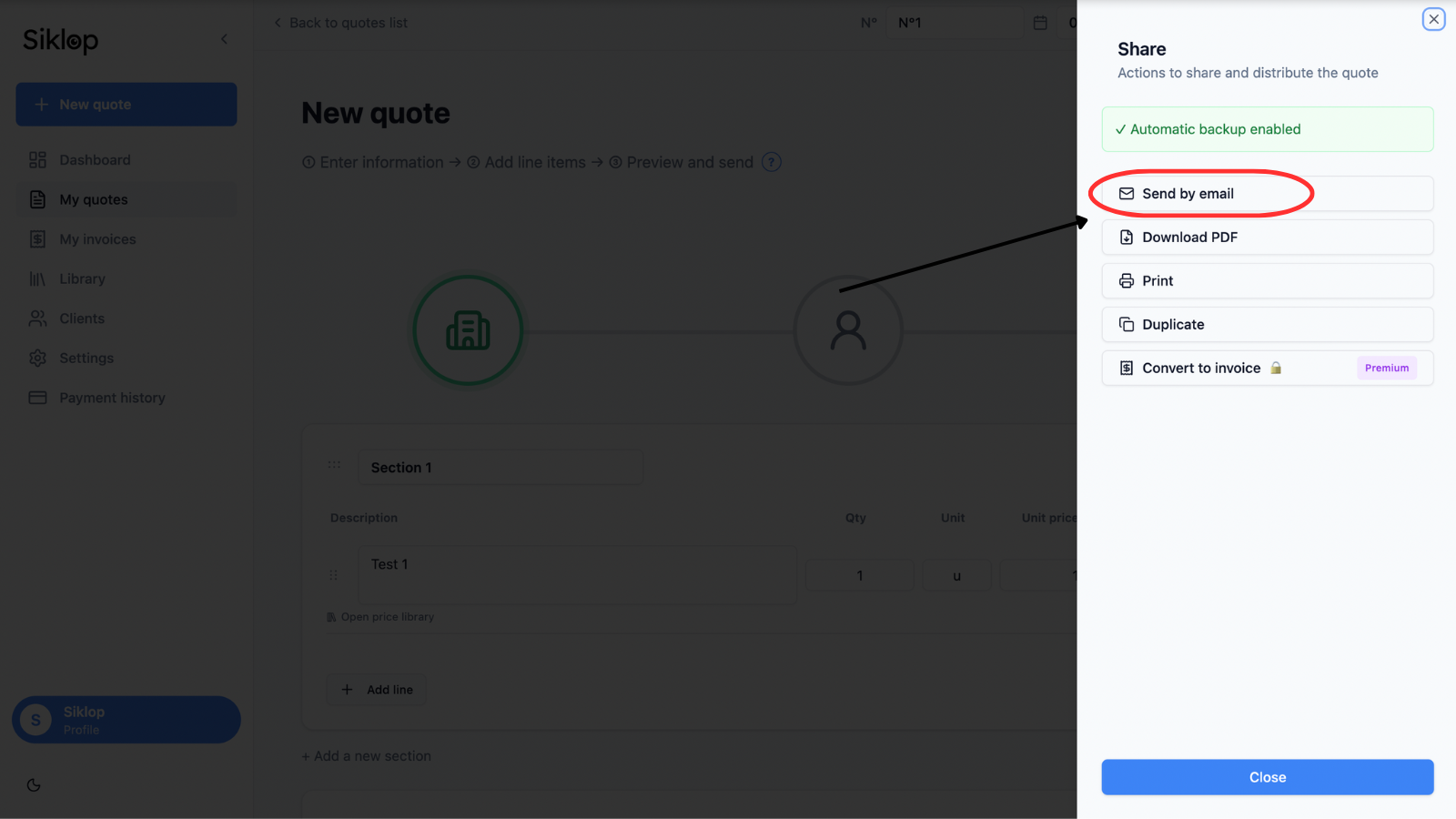
Then click Send by email to access the quote delivery options.
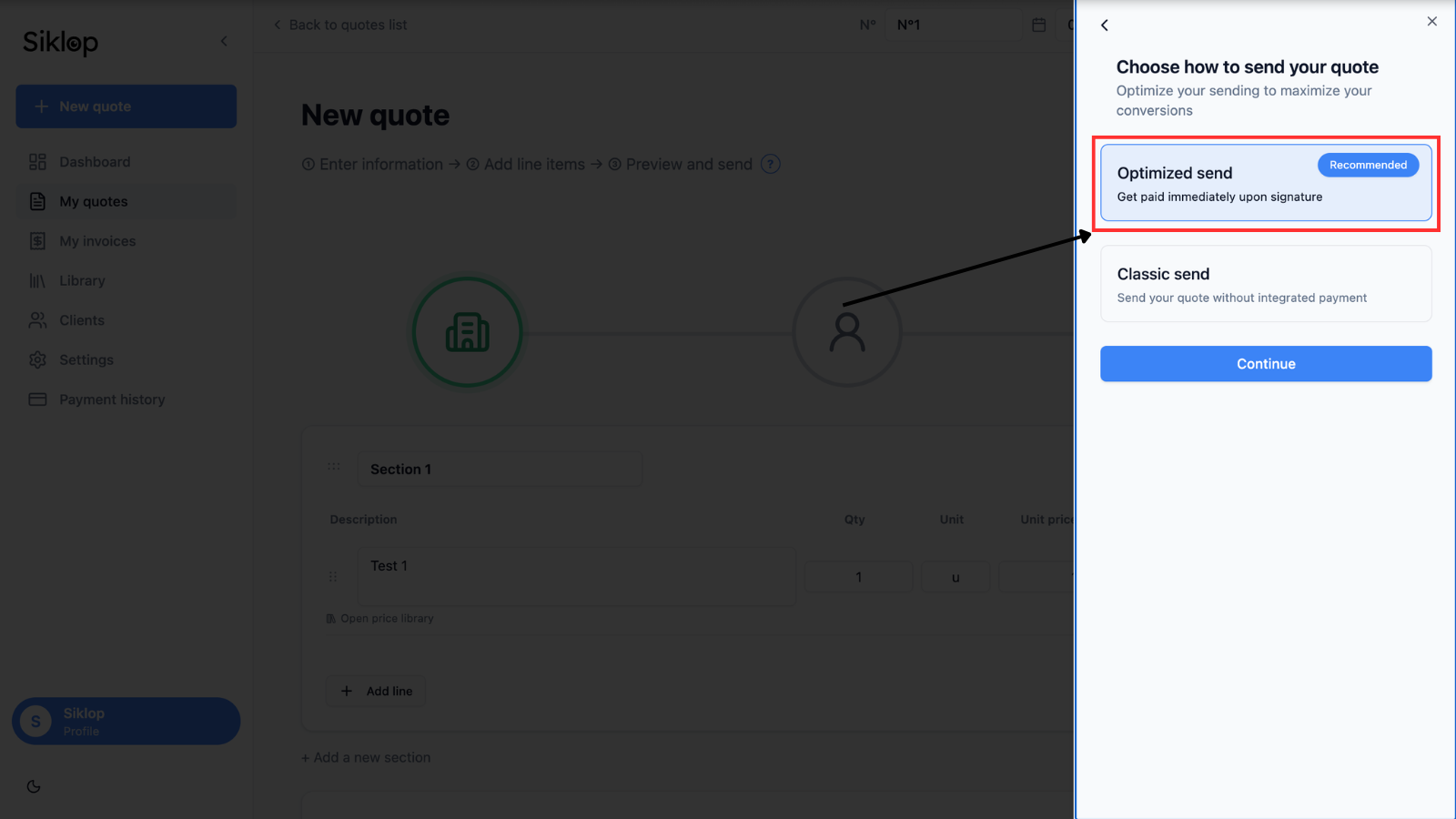
Choose Optimized Send
In the delivery method selection screen, choose Optimized Send.
This option integrates payment directly into the quote approval and signature process. Your client will be able to pay the requested amount at the same time they accept the document.
Choose the payment type
Siklop allows you to choose the payment that will be requested when the quote is signed.
You can require full payment if you want your client to pay the entire quote amount at the time of approval.
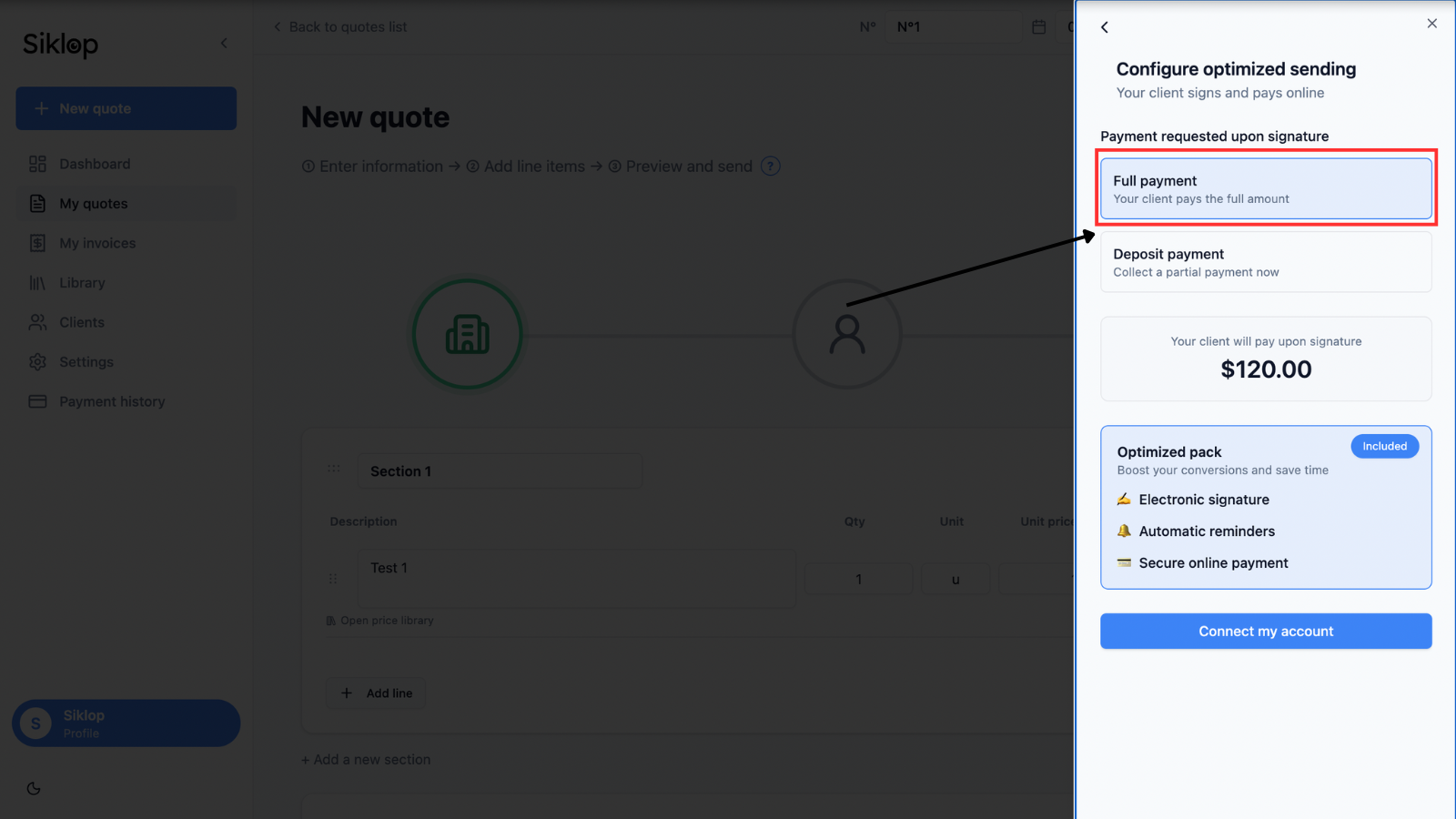
You can also request a deposit if you only want to collect part of the total amount when the quote is signed.
Configure the deposit amount
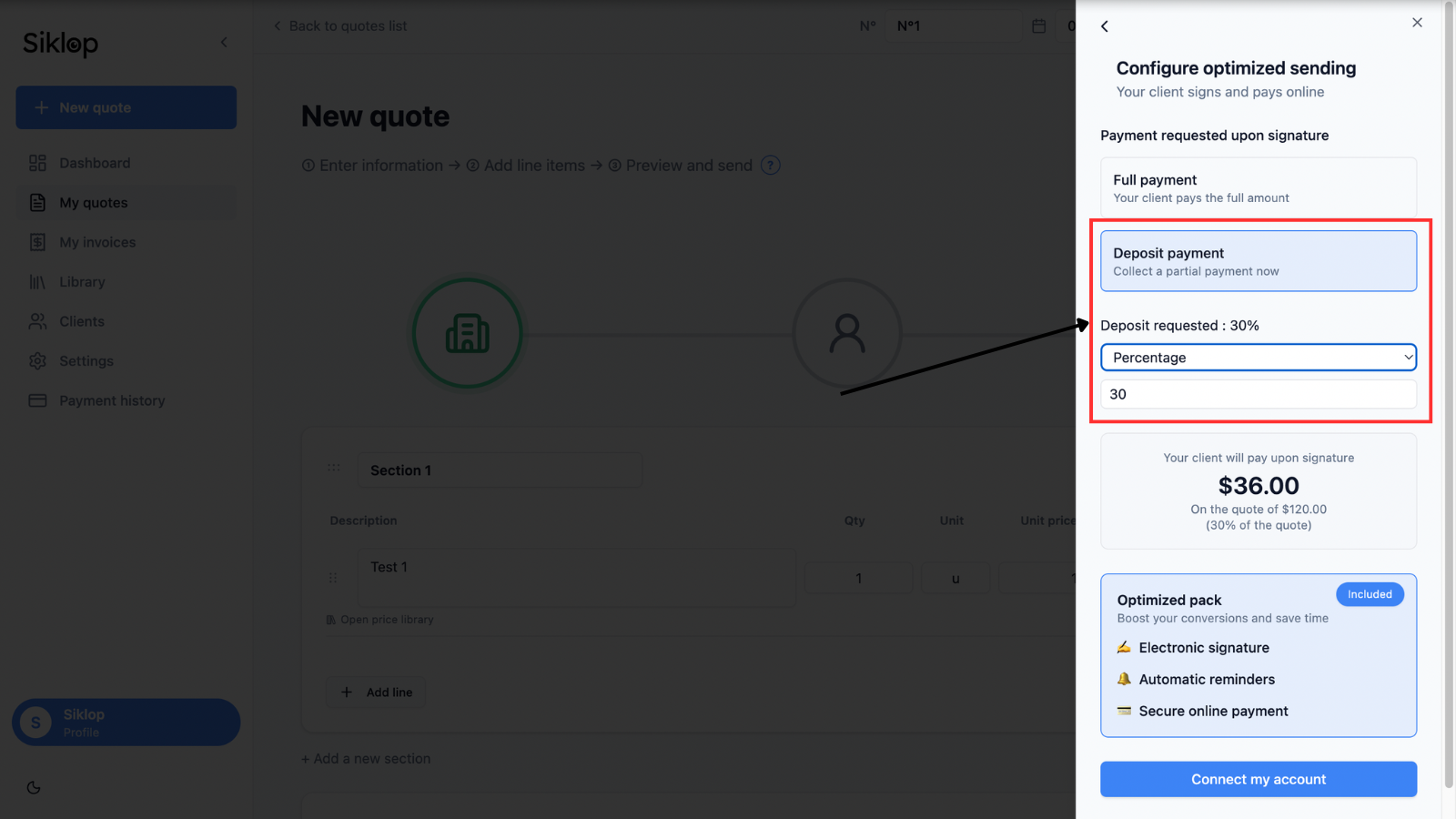
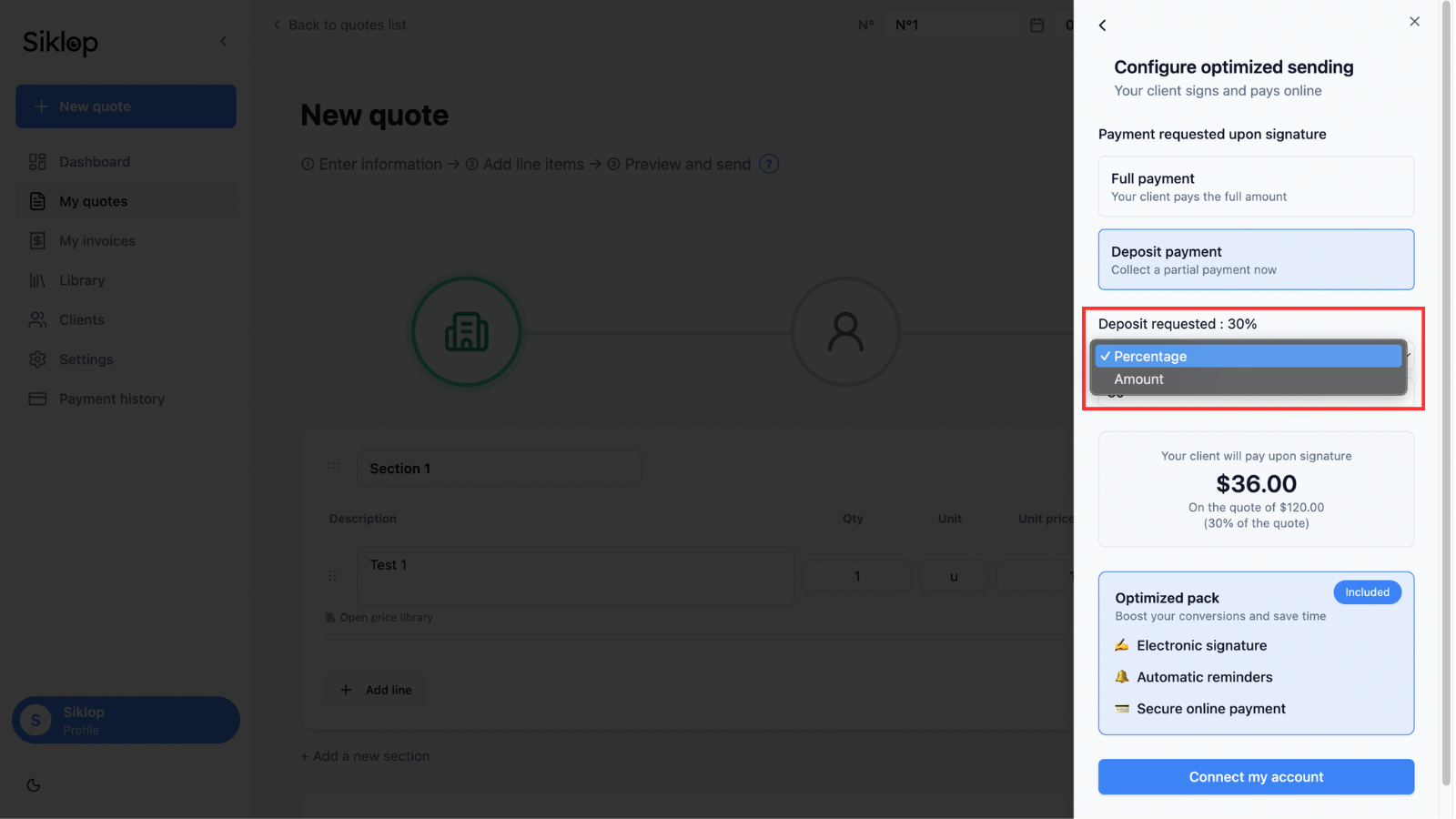
When you choose the deposit payment option, you can define the amount that will be requested from your client.
The deposit can be calculated as a percentage of the quote total or set as a fixed amount, depending on your needs.
Connect your Stripe account
To receive online payments with Siklop, you must connect or create a Stripe account.
Stripe is one of the most widely used payment platforms in the world. Millions of businesses trust Stripe to process online payments securely. Creating a Stripe account is completely free and does not require a subscription.
When your client makes a payment from your quote, the funds are never held by Siklop. Payments are sent directly to your Stripe account and then transferred to your bank account according to Stripe's payout schedule.
Siklop guides you step by step through the account creation and connection process, allowing you to start accepting online payments quickly and securely.
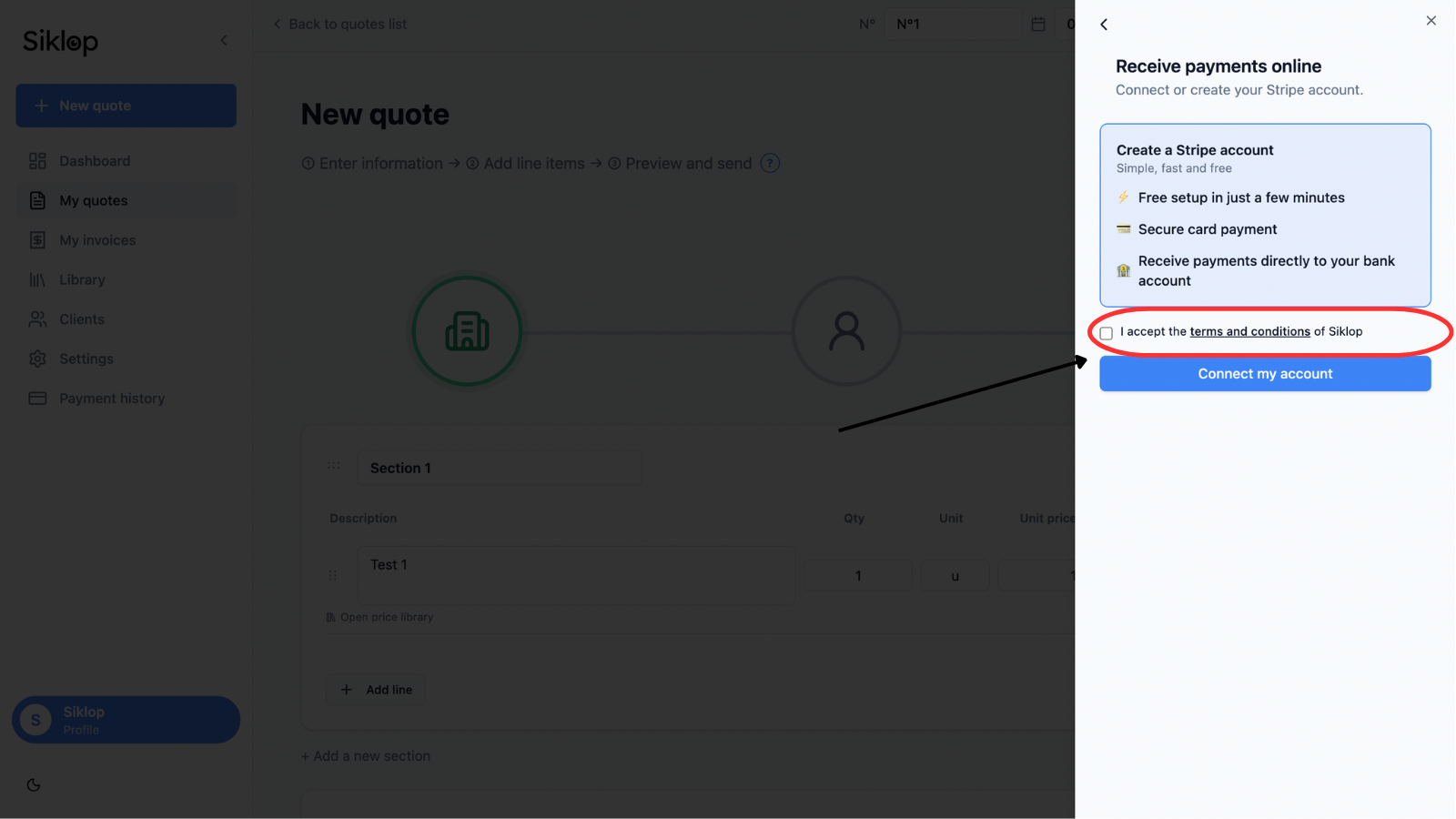
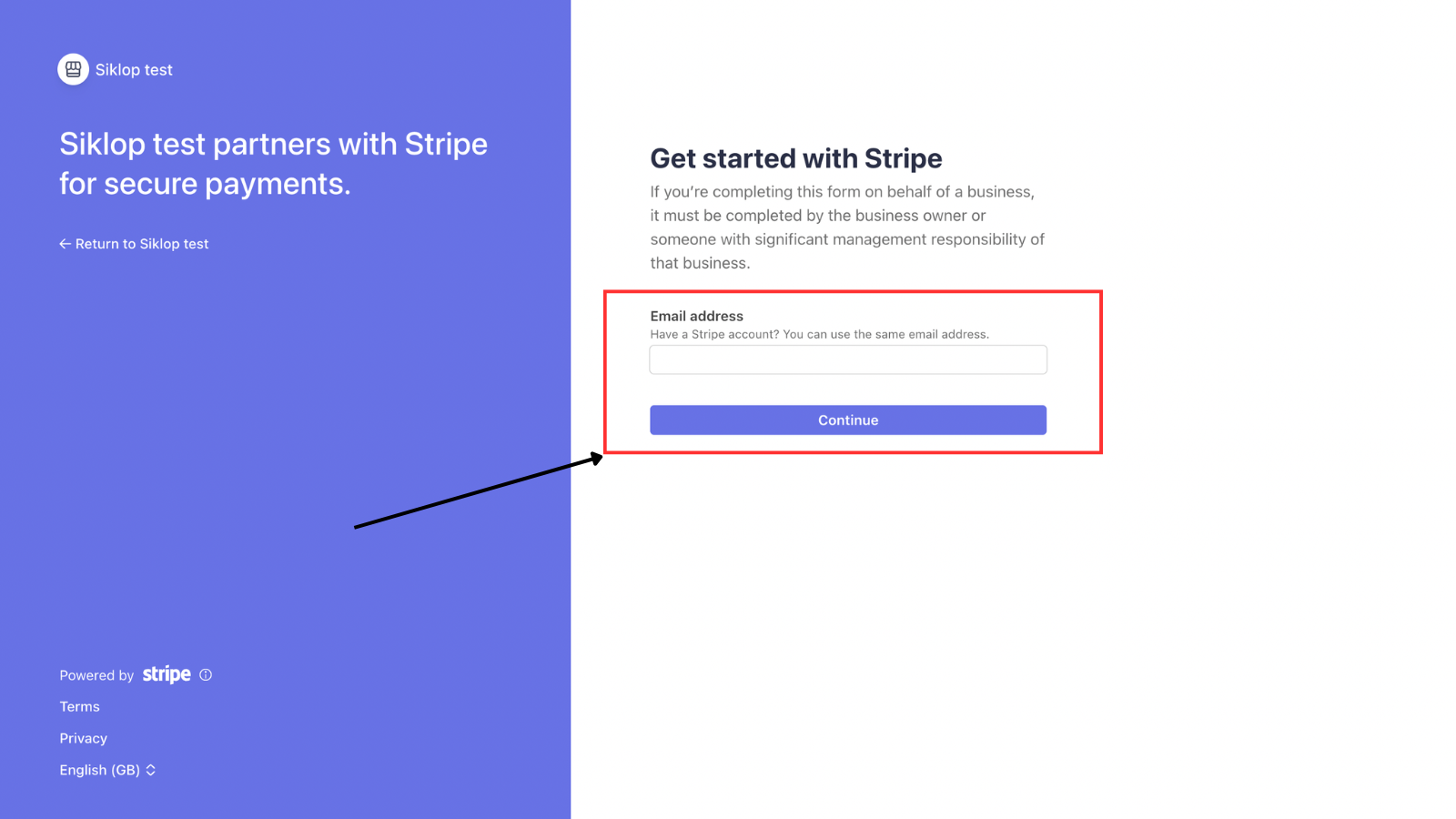
After clicking Create a Stripe account or Connect an existing account, you will be automatically redirected to Stripe to complete the setup of your payment account.
This step allows Stripe to verify your identity and collect the banking information required to transfer payments directly to your bank account.
Verify your Stripe connection
Once your Stripe account has been connected, Siklop confirms that your account is ready to receive payments.
You can then accept the terms and conditions and continue with the Optimized Send process.
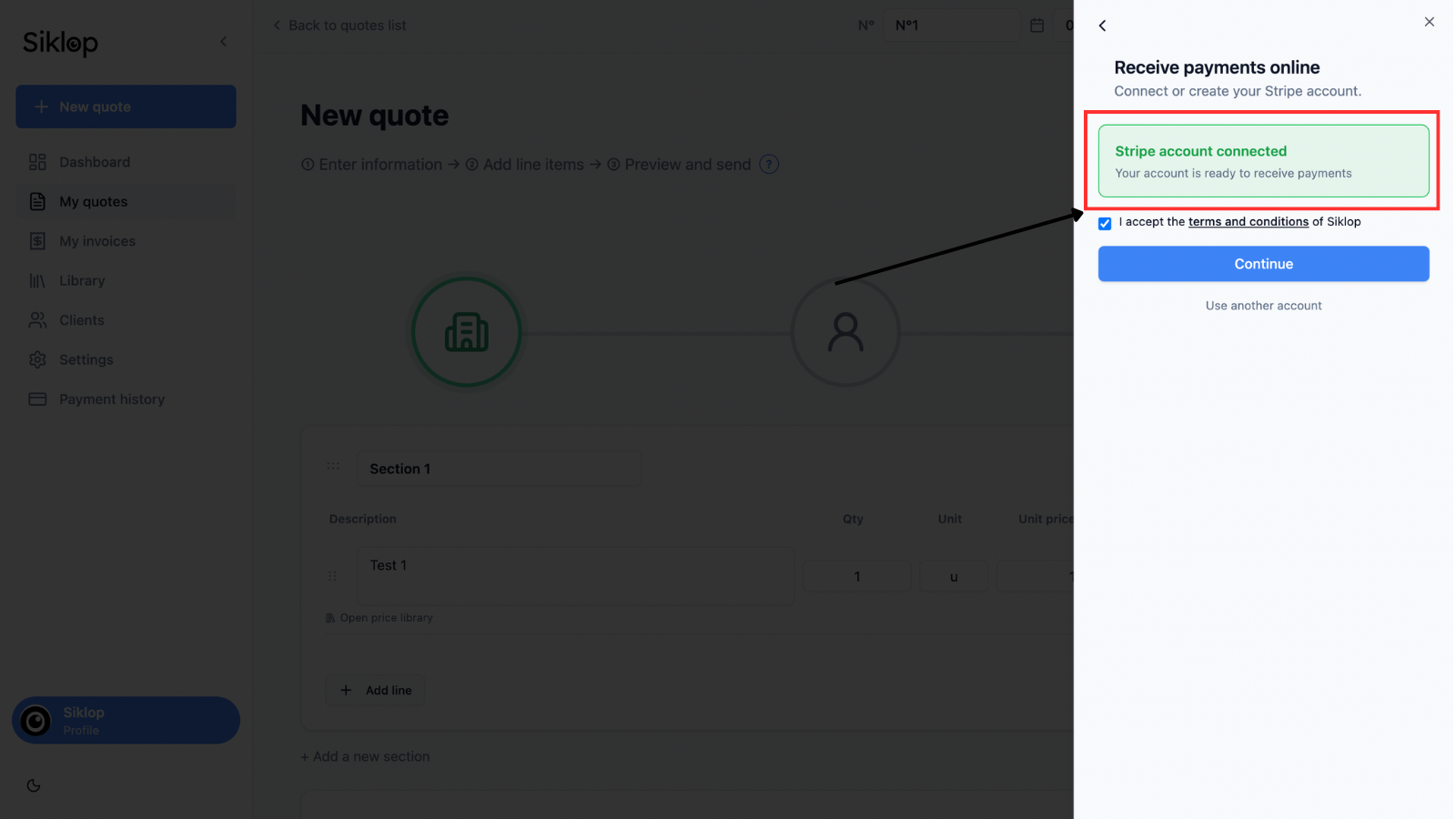
If an error message appears at this stage, first make sure that your Stripe account has been successfully created and is authorized to receive payments.
In some cases, Stripe may temporarily restrict payment processing until certain information or verification documents have been submitted and approved. You can check the status of your account directly from your Stripe dashboard to see whether any action is required.
If everything appears to be configured correctly in Stripe and you are still unable to activate payments or complete the connection process, feel free to contact our team and we will be happy to help.
Review the payment summary
Before sending the quote, Siklop displays a detailed summary of the payment that will be requested from your client.
You can review the amount that will be charged when the quote is signed, the fees related to Optimized Send, the estimated Stripe fees and the approximate amount that will be paid out to you after the transaction.
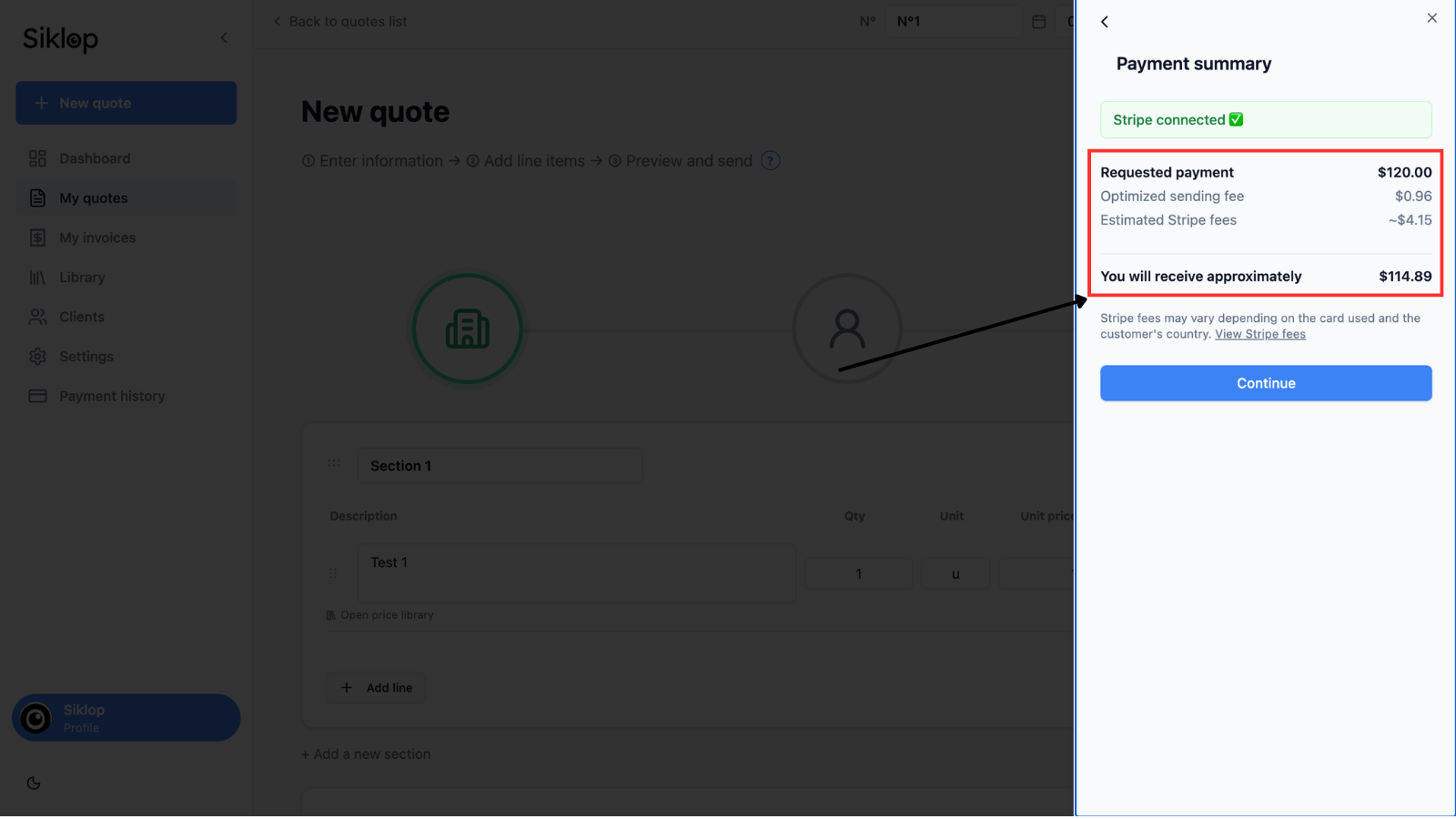
When your client makes an online payment, transaction fees are automatically applied. Optimized Send fees cover the services provided by Siklop, including electronic signatures, document tracking, automatic reminders and the integration of payment directly into the quote. Stripe fees correspond to the commissions charged by Stripe for securely processing the payment and transferring the funds to your bank account.
These fees are deducted automatically when a payment is successfully completed. You do not need to pay anything in advance. If your client rejects the quote or never completes the payment, no Optimized Send fees are charged. Fees are only applied when a successful transaction takes place.
For this reason, the amount you receive will be lower than the amount paid by your client. Siklop displays an estimated payout amount so that you have a clear understanding of what will be transferred to your account before sending the quote.
Stripe fees are displayed as estimates because the final amount can vary depending on several factors, including the client's country, the currency used, the selected payment method and the type of card used during checkout.
The Siklop fees shown in the summary correspond to the actual fees applied to your subscription plan at the time the quote is sent. Some plans benefit from reduced payment commissions. You can review the fees associated with each plan on our pricing page.
If you wish to pass some or all of these fees on to your client, you can include them directly in your quote before sending it. You can either add a dedicated line item that is visible to your client or use the Internal Adjustment feature in the quote builder to automatically distribute the desired amount across all quote items without displaying an additional line and without making the adjustment visible to your client.
Prepare the email
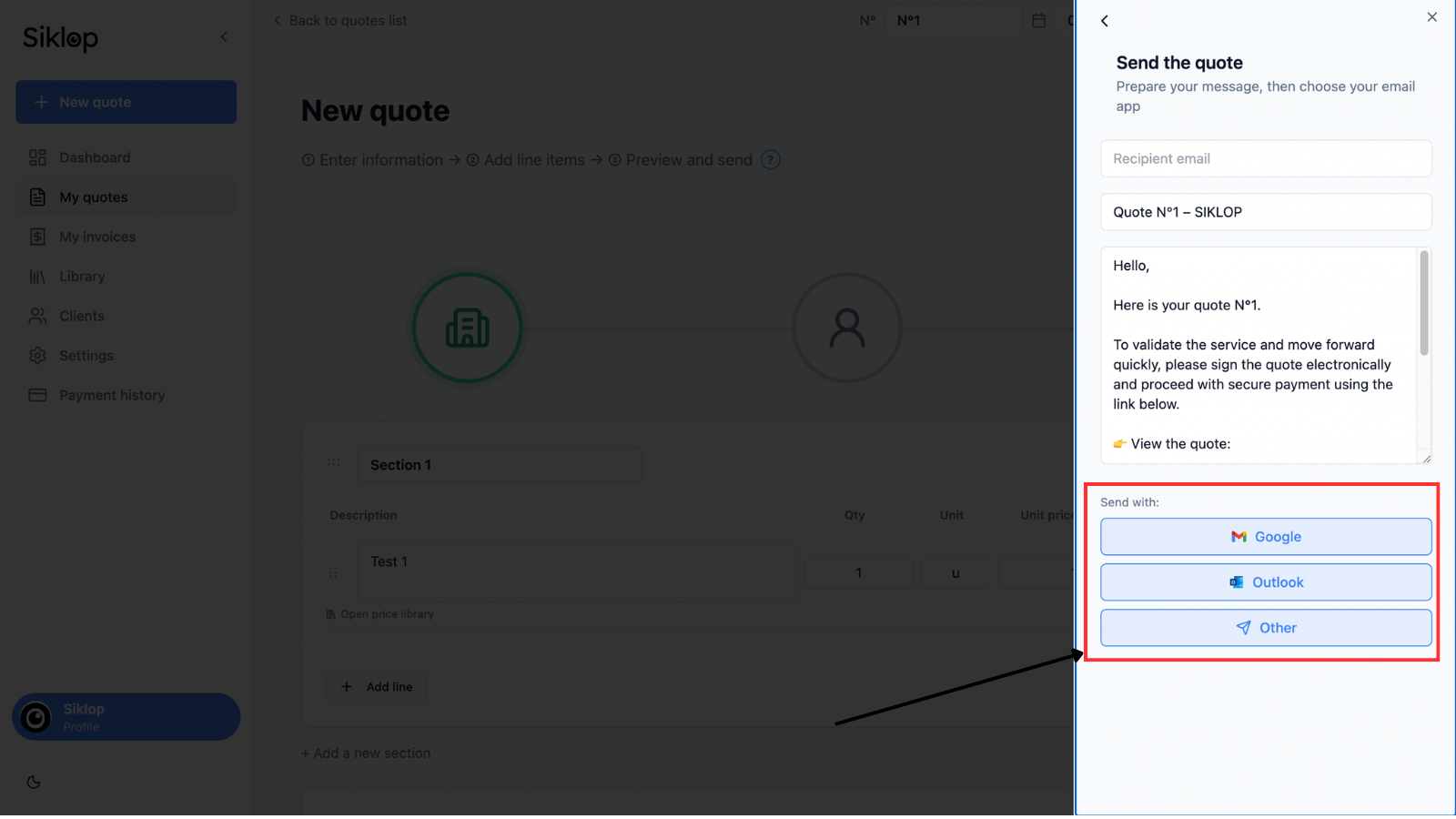
Once Optimized Send has been configured, Siklop automatically generates an email ready to be sent to your client.
You can customize the subject line, edit the message and choose the email application you want to use.
To simplify the process, Siklop provides shortcuts that allow you to quickly connect Gmail, Outlook or other compatible email services. The message is automatically prepared with the link that allows your client to view the quote, sign it electronically and complete the payment directly from the document.
If your email provider is not directly supported or if you prefer another method, you can simply copy the generated message and quote link and send them manually using the email application of your choice.
Send the quote link
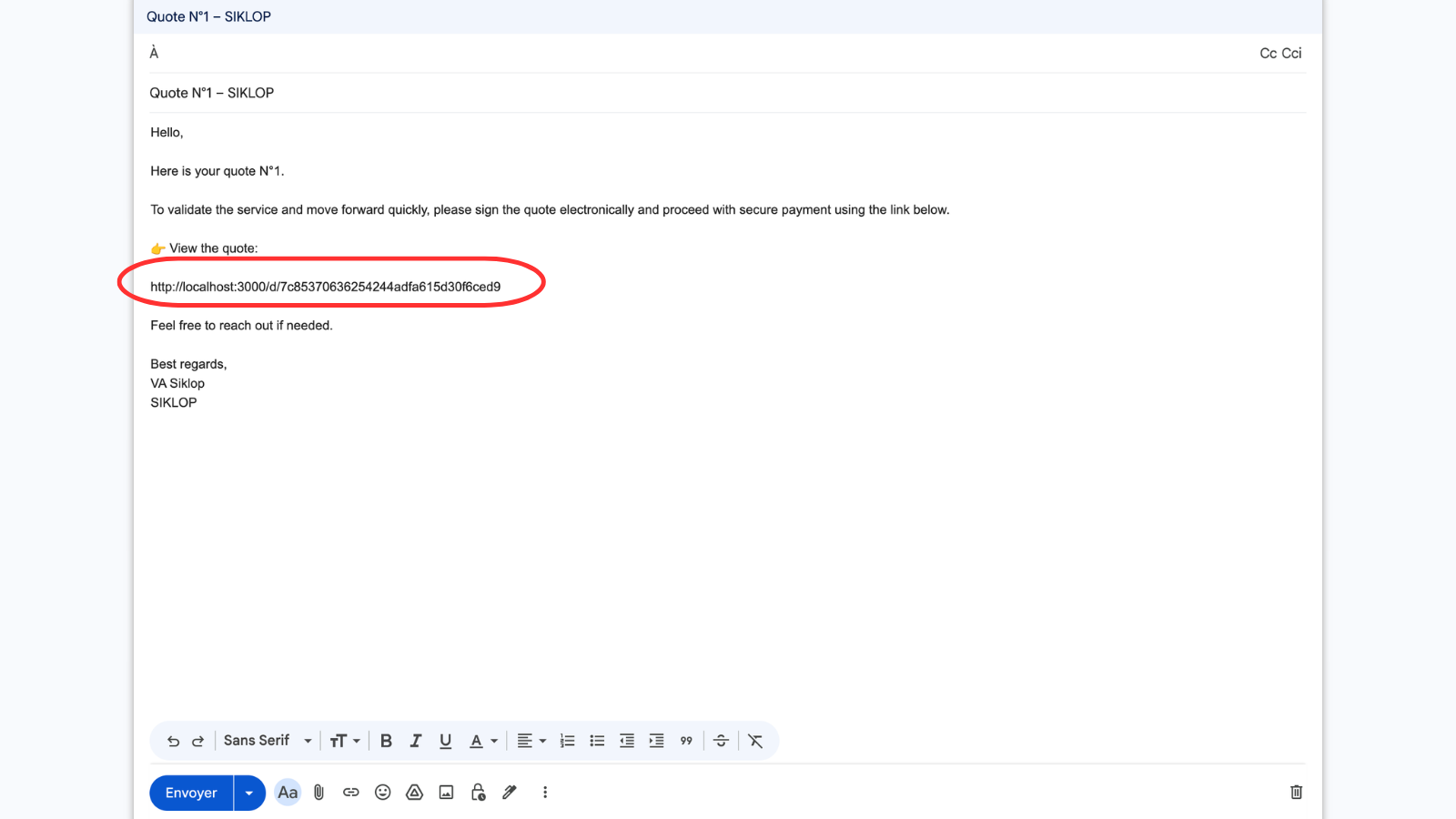
The quote is shared using a unique secure link automatically generated by Siklop.
Your client can open this link from any computer, tablet or smartphone to view the document online, sign it electronically and complete the requested payment without creating an account or installing any software.
It is important to keep this link in the message sent to your client. The link gives access to the entire quote approval process, from reviewing the document to signing and completing the payment.
This method simplifies quote approval while preserving all the tracking, electronic signature and payment features available in Siklop.
Sending confirmation
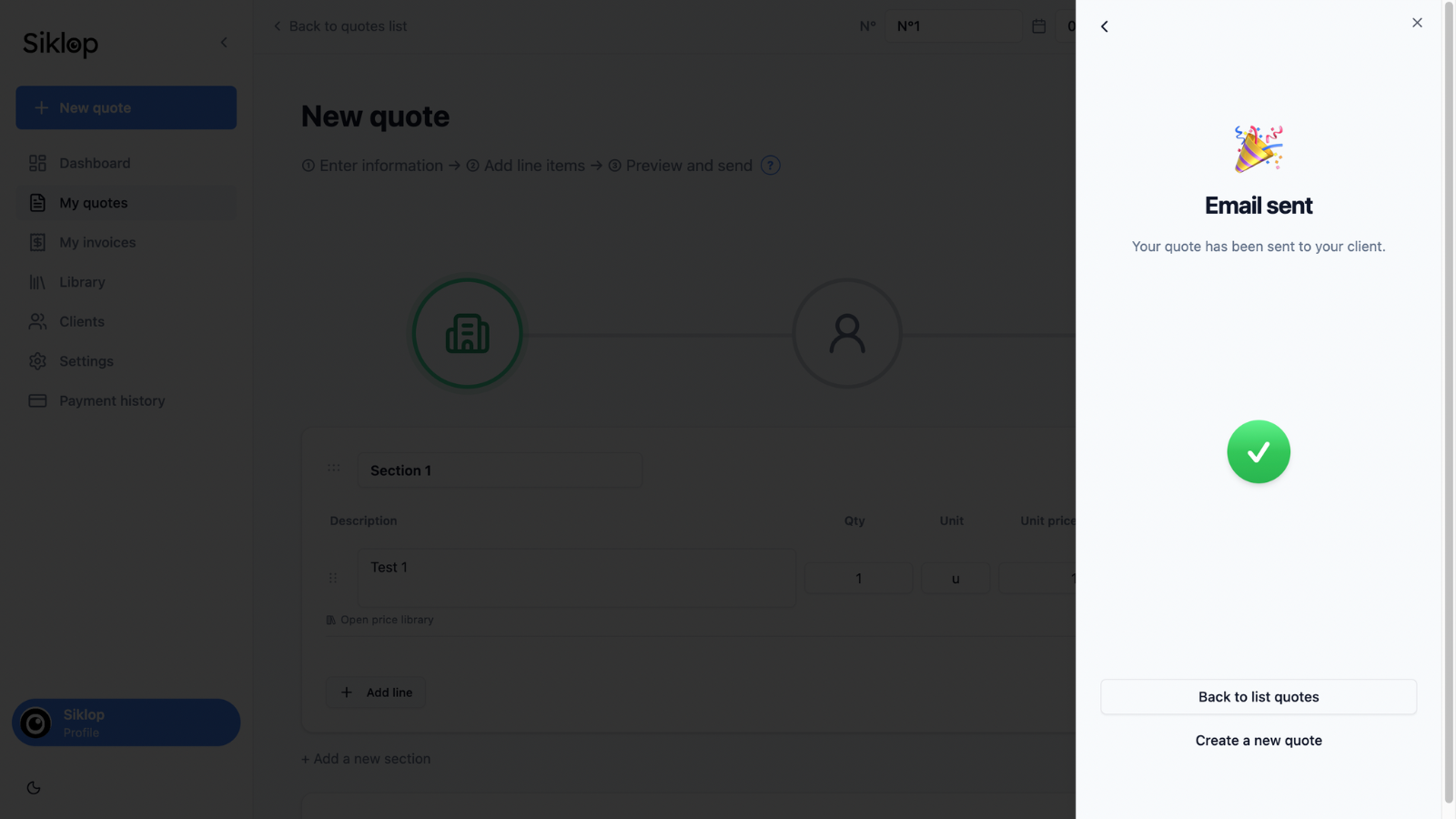
Once the email has been sent, Siklop displays a confirmation message indicating that the quote has been successfully delivered to your client.
You can then return to your quote list or create a new document.
Track the quote status
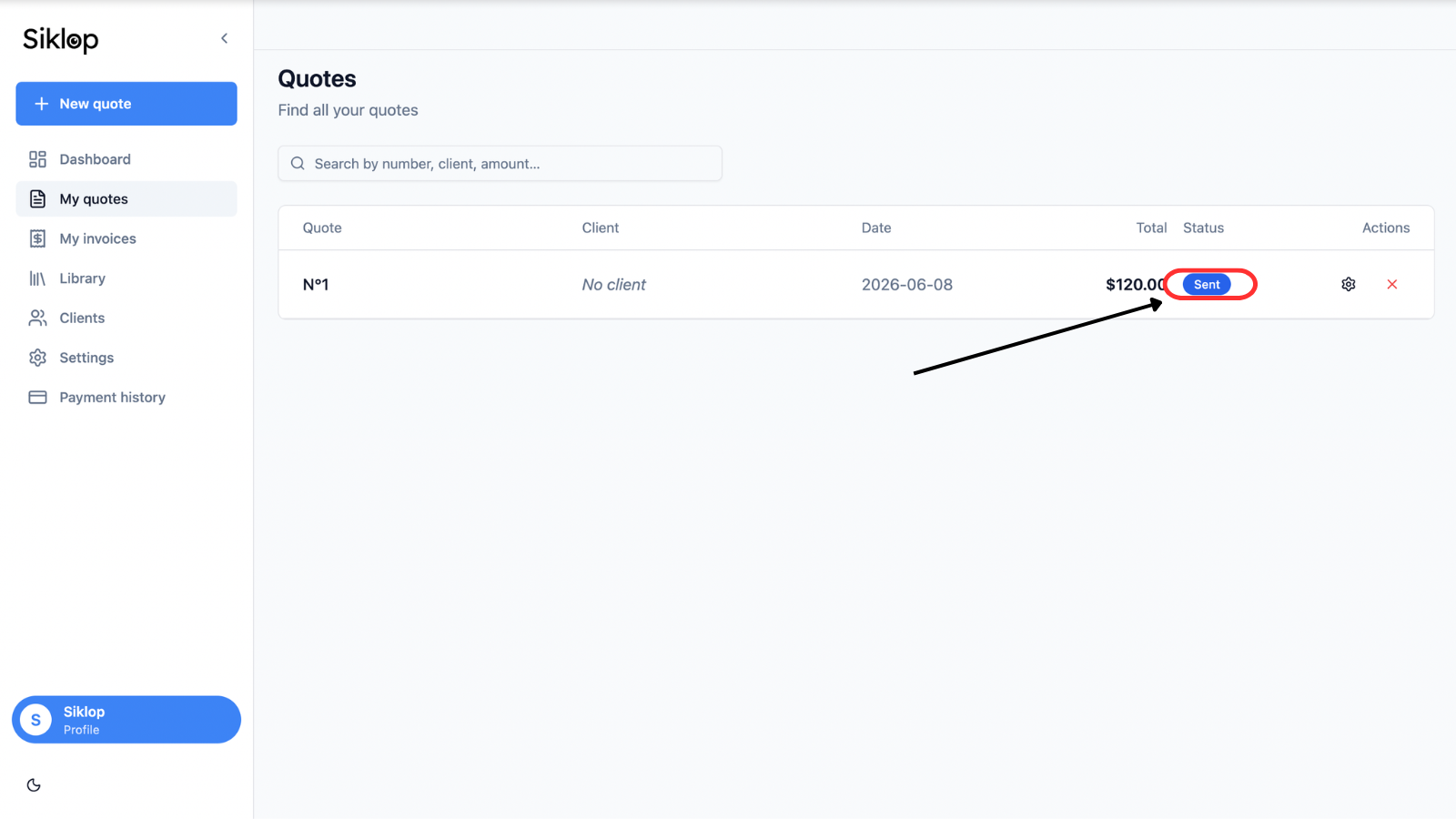
After the quote has been sent, the document status is automatically updated in your Siklop workspace.
Thanks to real-time tracking, you can monitor the complete progress of your quote without manually following up with your client. Siklop allows you to see whether the document has been viewed, signed, accepted, rejected or paid.
The displayed status is automatically updated at each stage of the client journey, giving you a clear overview of your opportunities. You can quickly identify quotes awaiting action, documents that may require a follow-up and quotes that have already generated a payment.
This visibility helps you manage your business more effectively, prioritize your sales activities and keep track of incoming payments.
FAQ
Does my client need to create an account to sign or pay the quote?
No. Your client can view the quote, sign it electronically and complete the payment directly from the secure link received by email without creating a Siklop account. The document can be accessed from a computer, tablet or smartphone. Your client simply opens the link to review the quote, approve the signature and pay the requested deposit or amount based on the options you have configured.
Can I request a deposit instead of full payment?
Yes. Optimized Send allows you to choose between requesting full payment of the quote or collecting a deposit when the quote is approved. You can freely define the amount requested from your client using either a fixed amount or a percentage of the quote total.
This option is commonly used to secure the start of a project, cover material purchases, reserve a service date or obtain a financial commitment from the client before work begins.
Do I have to pay fees if my client rejects the quote?
No. Fees related to Optimized Send are only charged when your client successfully completes a payment. If the quote is rejected, expires or is never paid, no payment-related fees are charged.
There are no upfront costs and no financial risk when using Optimized Send. You can send as many quotes with integrated online payment as you want without paying any fees until a payment is actually completed.
For example, you can send multiple versions of the same quote with different options or pricing and let your client choose the one that best fits their needs. If only one version is accepted, fees will only be applied to the quote that is signed and paid. The other quotes generate no additional costs.
Siklop never asks you to pay these fees in advance. Commissions are automatically deducted when your client completes the payment and are simply subtracted from the amount transferred to your account.
Where does the money paid by my client go?
Payments made by your clients are securely processed by Stripe and deposited directly into your Stripe account. The funds are then automatically transferred to your bank account according to the payout schedule configured in Stripe.
At no point does the money pass through Siklop's bank accounts. You remain the sole recipient of all payments and retain full access to your transaction history through your Stripe dashboard.
This setup provides a high level of security while ensuring that funds are paid directly to you by one of the world's leading online payment providers.
Can I use my existing Stripe account?
Yes. If you already have a Stripe account, you can simply connect it to Siklop. There is no need to create a new account or move your payments to another platform.
Once connected, payments made by your clients will continue to be deposited into your existing Stripe account. You keep your transaction history, payout settings and bank account information already configured in Stripe, while adding online payment capabilities directly to your quotes and invoices in Siklop.
What payment methods are accepted?
Payments are securely processed by Stripe. Depending on your client's country and the payment methods available locally, you can accept major credit and debit cards including Visa, Mastercard and American Express, as well as Apple Pay and many other compatible payment methods.
The exact payment methods available may vary depending on the country, currency and the options enabled on your Stripe account. Your client will automatically see the payment methods available to them when completing the payment for the quote or invoice.
Can I modify the message before sending it?
Yes. Before sending the quote, Siklop automatically generates an email that you can fully customize. You can edit the subject line, modify the message content and use your own email address so that you remain in complete control of your communication with your clients.
The link that allows your client to access the quote is automatically included in the message. It is important to keep this link unchanged, as your client will need it to view the quote, sign it electronically and complete the payment.
How can I tell if my client has signed or paid the quote?
Siklop provides real-time tracking of all activity related to the document. From your dashboard, you can monitor the status of the quote and see whether it has been viewed, signed, accepted, rejected or paid by your client.
Statuses are updated automatically as your client progresses through the approval and payment process, giving you complete visibility over your sales opportunities and incoming payments.
Do I need to connect my Stripe account every time I send a quote?
No. Once your Stripe account has been connected to Siklop, it remains linked to your user account. You do not need to reconnect it each time you send a quote or invoice with online payment.
You can continue using Optimized Send across all your documents without any additional setup. Reconnection is only required in exceptional situations, such as if you revoke Siklop's access from your Stripe account or if Stripe requires important account information to be updated before payments can be processed.
Can I use Optimized Send with an invoice?
Yes. Optimized Send can also be used with invoices. You can request full payment of the invoice or collect only the remaining balance if a deposit has already been paid when the quote was approved.
Integrating payment directly into the invoice makes it much easier for clients to complete the transaction. Instead of initiating a bank transfer, mailing a check or manually entering banking details, clients can pay the invoice in just a few clicks directly from the document.
Many clients are more likely to pay immediately when an online payment option is available. By removing unnecessary steps from the payment process, Optimized Send helps accelerate cash collection, reduce payment delays and limit the number of reminders required for unpaid invoices.
As with quotes, payments are processed securely through Stripe and you benefit from real-time tracking of both the document status and the payment status.